


FastVideo is open-sourcing FastH3 Omni, a distilled MiniMax H3 model for reference-guided video and audio. Give it a prompt plus images, video clips and a voice reference to generate a finished video with synchronized sound.
Model weights · UniServe deployment · Local AI with FastVideo
ComfyUI support is available. Our local AI blog post and release are planned for tomorrow, October 21.
TL;DR
- Eight transformer evaluations, down from Base’s 50, with image, video and audio references.
- 5.6–11.9× lower end-to-end latency across 27 matched workloads on eight GB200 GPUs. This compares full serving recipes, using Base’s
losslessnumerical policy; methodology. - Real-time Generation on FastVideo UniServe: On particular FastH3 Omni tasks, FastVideo UniServe achieves real time generation speeds for 768p videos for 5s, 10s, and 15s clips.
- Local AI. Run on DGX Spark or RTX 5090 with FastVideo, using the NVFP4 QAD weights and device recipes.
- See and hear the outputs below. Change the references or clip length, then play the matched examples together. Reference inputs are expanded; open the full prompt when you need it.
- Partners. Thanks to Nuva Lab, Reactor, NVIDIA FastGen Team, and NVIDIA Enterprise products for their collaboration and support.
Matched reference inputs and outputs
Choose a reference mix and clip length to compare Base, FastH3 Omni and FastH3 Omni with the 36-layer VAE. All examples use seed 0 and matched inputs; these are qualitative comparisons, not evidence of output parity.
Playback starts when you press play. Choose one soundtrack with Listen to.
1 image · 5 s request
6.25× lower latency for this workload. 35.44 s → 5.67 s end to end (three-seed means).
Source references (1)
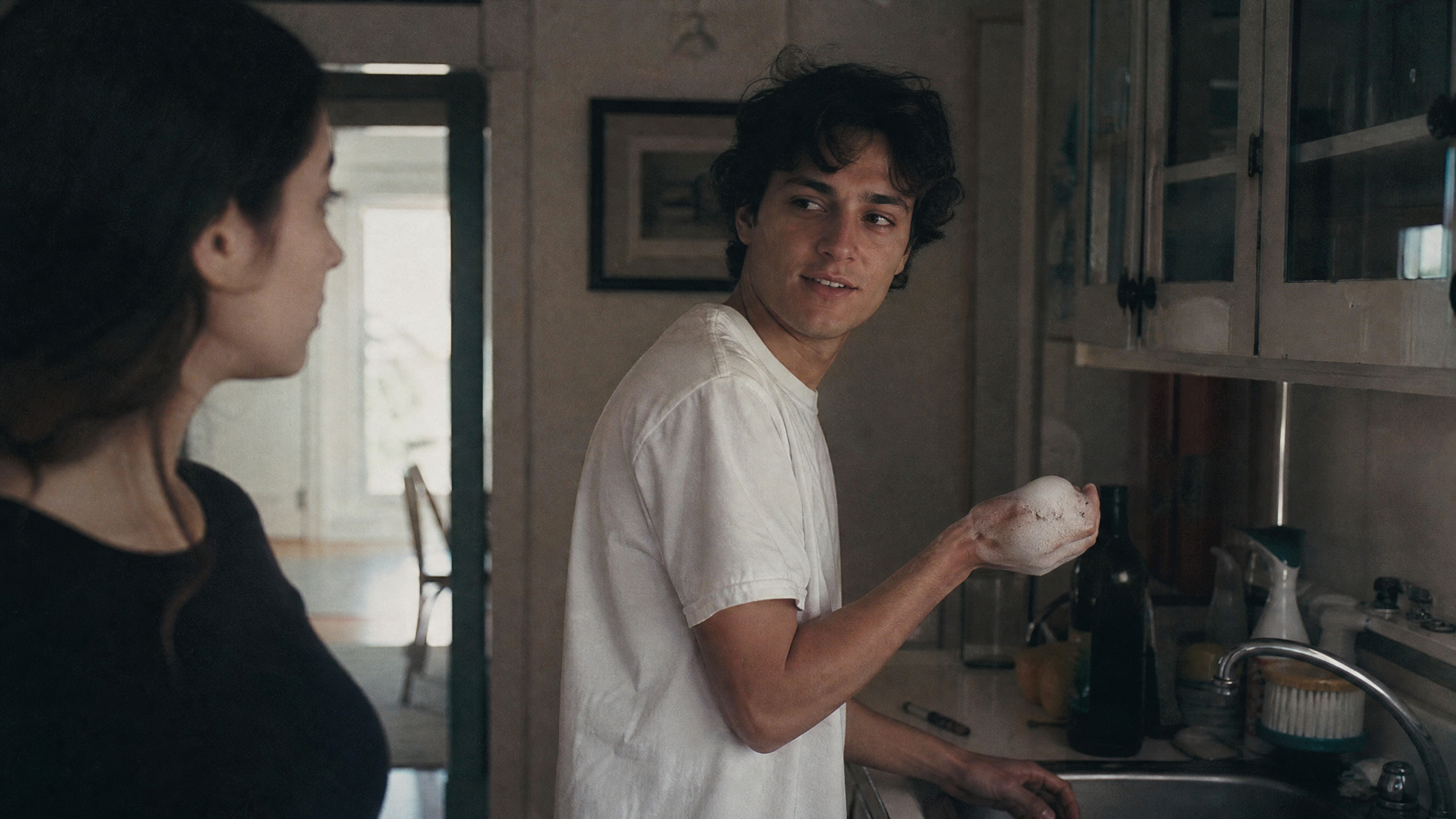
Full prompt
subject_definitions:
<Subject 1> is the young man with dark curly hair wearing a white T-shirt in <Picture 1>.

summary:
[reference generation] <Subject 1> makes breakfast in a sunlit kitchen and speaks warmly to the camera.

retention_analysis:
<Subject 1> (appears in [Shot 1]): fully_preserved - the young man's face, dark curly hair and white T-shirt are retained.

detailed_description:
The target video is in a realistic live-action style with warm morning light.
[Shot 1] A medium close-up with a slow push-in. In a sunlit kitchen, <Subject 1> (S1) sets a bowl of oranges on the wooden counter, wipes his hands on a striped towel, looks into the camera and says with a relaxed smile, <d>[English] Breakfast is on me today, so take your time.</d> Morning light falls across his shoulders and the steam of a kettle drifts behind him.

overall_soundscape:
Bright kitchen room tone, a kettle beginning to whistle, and birdsong drifting through an open window.

non_diegetic_music:
N/A
1 image · 10 s request
8.38× lower latency for this workload. 78.53 s → 9.37 s end to end (three-seed means).
Source references (1)
Full prompt
subject_definitions:
<Subject 1> is the young man with dark curly hair wearing a white T-shirt in <Picture 1>.

summary:
[reference generation] <Subject 1> makes breakfast in a sunlit kitchen and speaks warmly to the camera.

retention_analysis:
<Subject 1> (appears in [Shot 1], [Shot 2]): fully_preserved - the young man's face, dark curly hair and white T-shirt are retained.

detailed_description:
The target video is in a realistic live-action style with warm morning light.
[Shot 1] A medium close-up with a slow push-in. In a sunlit kitchen, <Subject 1> (S1) sets a bowl of oranges on the wooden counter, wipes his hands on a striped towel, looks into the camera and says with a relaxed smile, <d>[English] Breakfast is on me today, so take your time.</d> Morning light falls across his shoulders and the steam of a kettle drifts behind him.
[Shot 2] At 00:05.000, the shot cuts to a close shot over the counter. <Subject 1> (S1) slices an orange in half on a wooden board, squeezes it into a glass and slides the glass toward the camera, saying, <d>[English] Fresh juice first.</d> A drop runs down the glass in the sunlight.

overall_soundscape:
Bright kitchen room tone, a kettle beginning to whistle, and birdsong drifting through an open window.

non_diegetic_music:
N/A
1 image · 15 s request
9.88× lower latency for this workload. 139.69 s → 14.14 s end to end (three-seed means).
Source references (1)
Full prompt
subject_definitions:
<Subject 1> is the young man with dark curly hair wearing a white T-shirt in <Picture 1>.

summary:
[reference generation] <Subject 1> makes breakfast in a sunlit kitchen and speaks warmly to the camera.

retention_analysis:
<Subject 1> (appears in [Shot 1], [Shot 2], [Shot 3]): fully_preserved - the young man's face, dark curly hair and white T-shirt are retained.

detailed_description:
The target video is in a realistic live-action style with warm morning light.
[Shot 1] A medium close-up with a slow push-in. In a sunlit kitchen, <Subject 1> (S1) sets a bowl of oranges on the wooden counter, wipes his hands on a striped towel, looks into the camera and says with a relaxed smile, <d>[English] Breakfast is on me today, so take your time.</d> Morning light falls across his shoulders and the steam of a kettle drifts behind him.
[Shot 2] At 00:05.000, the shot cuts to a close shot over the counter. <Subject 1> (S1) slices an orange in half on a wooden board, squeezes it into a glass and slides the glass toward the camera, saying, <d>[English] Fresh juice first.</d> A drop runs down the glass in the sunlight.
[Shot 3] At 00:10.000, the shot cuts to a medium wide shot of the whole kitchen. <Subject 1> lifts the whistling kettle off the stove, pours hot water into a teapot and turns back to the camera with a grin as the steam rises past the open window.

overall_soundscape:
Bright kitchen room tone, a kettle beginning to whistle, and birdsong drifting through an open window.

non_diegetic_music:
N/A
Image + voice · 5 s request
6.15× lower latency for this workload. 35.92 s → 5.84 s end to end (three-seed means).
Source references (2)
Full prompt
subject_definitions:
<Subject 1> is the young man with dark curly hair wearing a white T-shirt in <Picture 1>.
<Audio 1> is the voice-timbre reference for <Subject 1> (S1).

summary:
[reference generation + audio reference] <Subject 1> finishes cooking dinner in a kitchen and speaks to the camera in the voice timbre of <Audio 1>.

retention_analysis:
<Subject 1> (appears in [Shot 1]): fully_preserved - the young man's face, dark curly hair and white T-shirt are retained.
<Audio 1>: reference - its vocal timbre guides the dialogue delivery of <Subject 1> without copying the original signal.

detailed_description:
The target video is in a realistic live-action style with soft evening light.
[Shot 1] A medium close-up with a slow push-in. In a warm kitchen, <Subject 1> (S1) dries his hands on a towel, looks into the camera and says, using the voice timbre referenced from <Audio 1>, <d>[English] Dinner is almost ready, come sit down.</d>

overall_soundscape:
Quiet kitchen room tone with a faint refrigerator hum, a simmering pot and the clink of plates.

non_diegetic_music:
N/A
Image + voice · 10 s request
8.23× lower latency for this workload. 79.92 s → 9.71 s end to end (three-seed means).
Source references (2)
Full prompt
subject_definitions:
<Subject 1> is the young man with dark curly hair wearing a white T-shirt in <Picture 1>.
<Audio 1> is the voice-timbre reference for <Subject 1> (S1).

summary:
[reference generation + audio reference] <Subject 1> finishes cooking dinner in a kitchen and speaks to the camera in the voice timbre of <Audio 1>.

retention_analysis:
<Subject 1> (appears in [Shot 1], [Shot 2]): fully_preserved - the young man's face, dark curly hair and white T-shirt are retained.
<Audio 1>: reference - its vocal timbre guides the dialogue delivery of <Subject 1> without copying the original signal.

detailed_description:
The target video is in a realistic live-action style with soft evening light.
[Shot 1] A medium close-up with a slow push-in. In a warm kitchen, <Subject 1> (S1) dries his hands on a towel, looks into the camera and says, using the voice timbre referenced from <Audio 1>, <d>[English] Dinner is almost ready, come sit down.</d>
[Shot 2] At 00:05.000, the shot cuts to a close shot of the stove. <Subject 1> (S1) lifts the lid of a pot, tastes the sauce from a wooden spoon, nods and says in the same voice, <d>[English] A little more salt, and it is perfect.</d> Steam curls up past his face.

overall_soundscape:
Quiet kitchen room tone with a faint refrigerator hum, a simmering pot and the clink of plates.

non_diegetic_music:
N/A
Image + voice · 15 s request
9.76× lower latency for this workload. 140.91 s → 14.44 s end to end (three-seed means).
Source references (2)
Full prompt
subject_definitions:
<Subject 1> is the young man with dark curly hair wearing a white T-shirt in <Picture 1>.
<Audio 1> is the voice-timbre reference for <Subject 1> (S1).

summary:
[reference generation + audio reference] <Subject 1> finishes cooking dinner in a kitchen and speaks to the camera in the voice timbre of <Audio 1>.

retention_analysis:
<Subject 1> (appears in [Shot 1], [Shot 2], [Shot 3]): fully_preserved - the young man's face, dark curly hair and white T-shirt are retained.
<Audio 1>: reference - its vocal timbre guides the dialogue delivery of <Subject 1> without copying the original signal.

detailed_description:
The target video is in a realistic live-action style with soft evening light.
[Shot 1] A medium close-up with a slow push-in. In a warm kitchen, <Subject 1> (S1) dries his hands on a towel, looks into the camera and says, using the voice timbre referenced from <Audio 1>, <d>[English] Dinner is almost ready, come sit down.</d>
[Shot 2] At 00:05.000, the shot cuts to a close shot of the stove. <Subject 1> (S1) lifts the lid of a pot, tastes the sauce from a wooden spoon, nods and says in the same voice, <d>[English] A little more salt, and it is perfect.</d> Steam curls up past his face.
[Shot 3] At 00:10.000, the shot cuts to a medium wide shot. <Subject 1> (S1) carries two plates to a small table by the window, sets them down, looks back at the camera and says, <d>[English] Come on, before it gets cold.</d>

overall_soundscape:
Quiet kitchen room tone with a faint refrigerator hum, a simmering pot and the clink of plates.

non_diegetic_music:
N/A
3 images · 5 s request
5.88× lower latency for this workload. 73.09 s → 12.42 s end to end (three-seed means).
Source references (3)
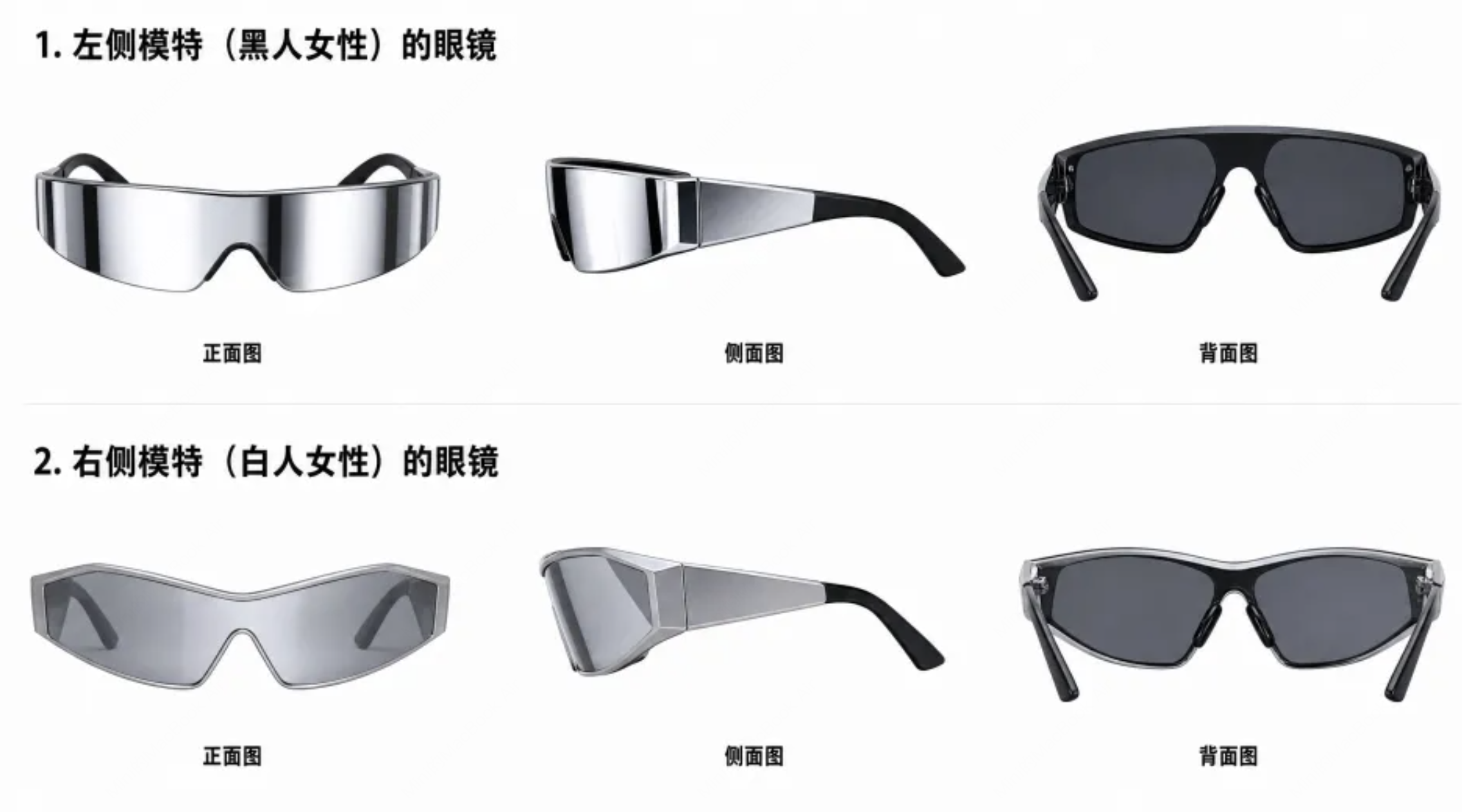
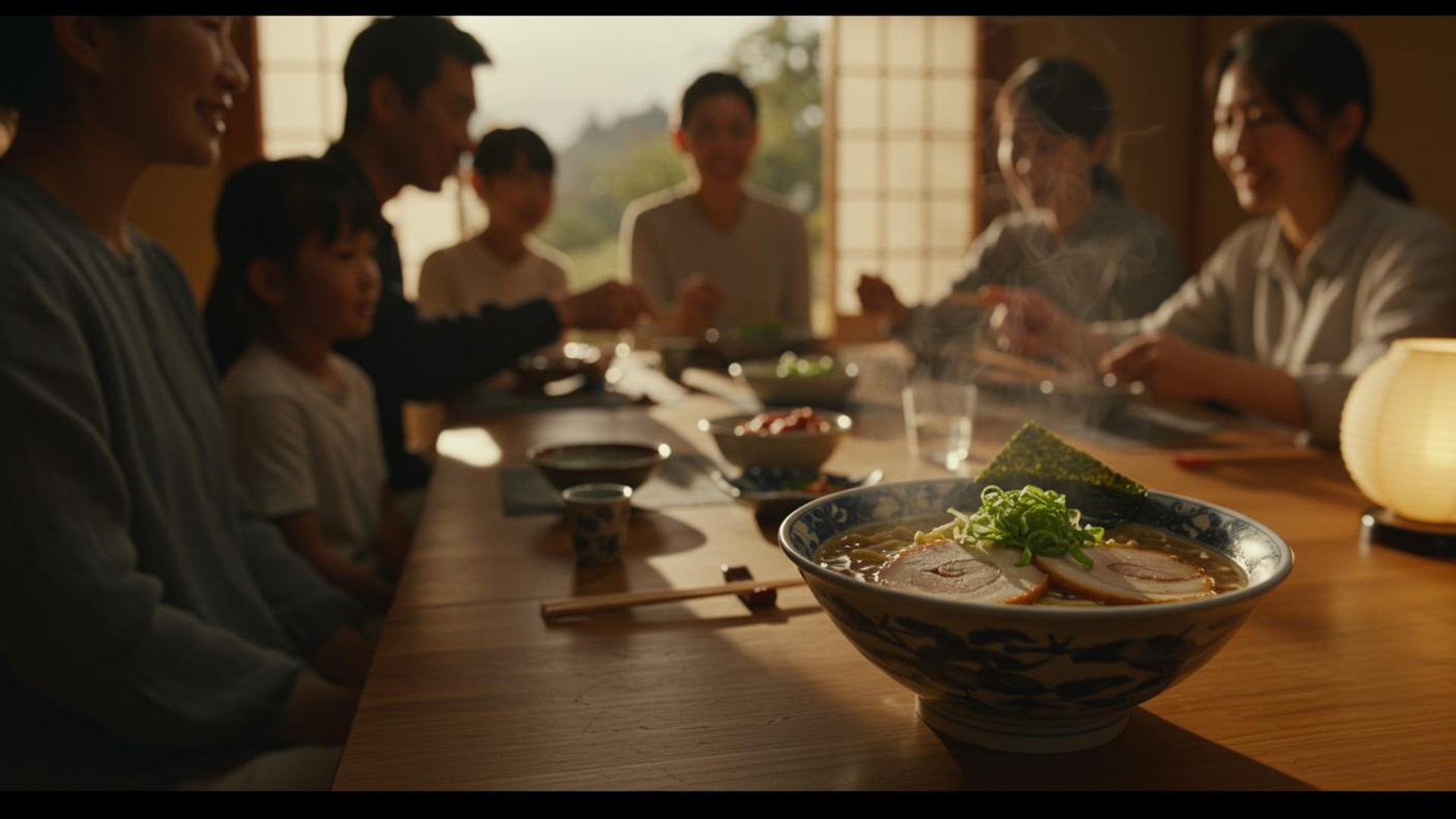
Full prompt
subject_definitions:
<Subject 1> is the young man with dark curly hair wearing a white T-shirt in <Picture 1>.
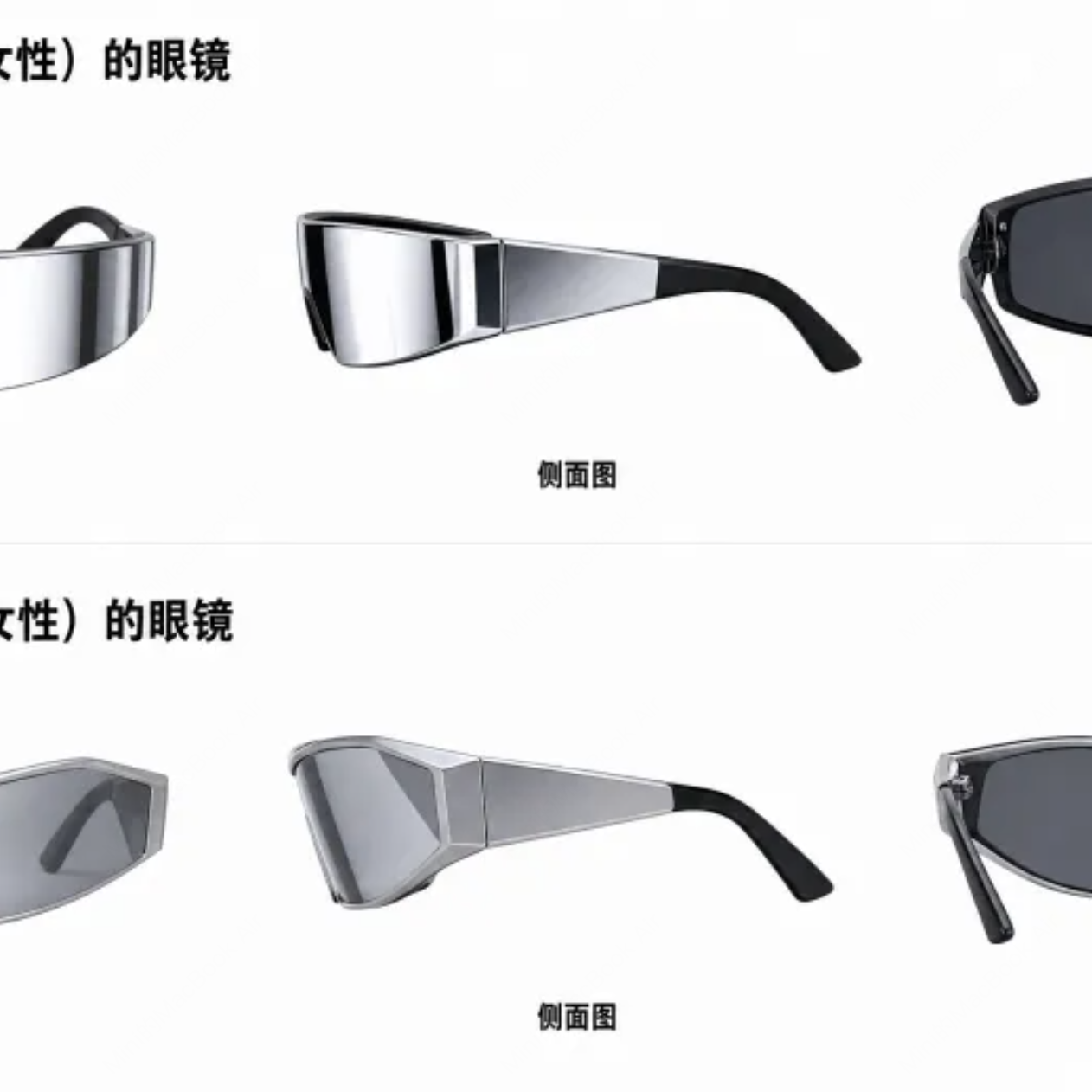
<Subject 2> is the pair of silver wraparound sunglasses shown from three angles in <Picture 2>.
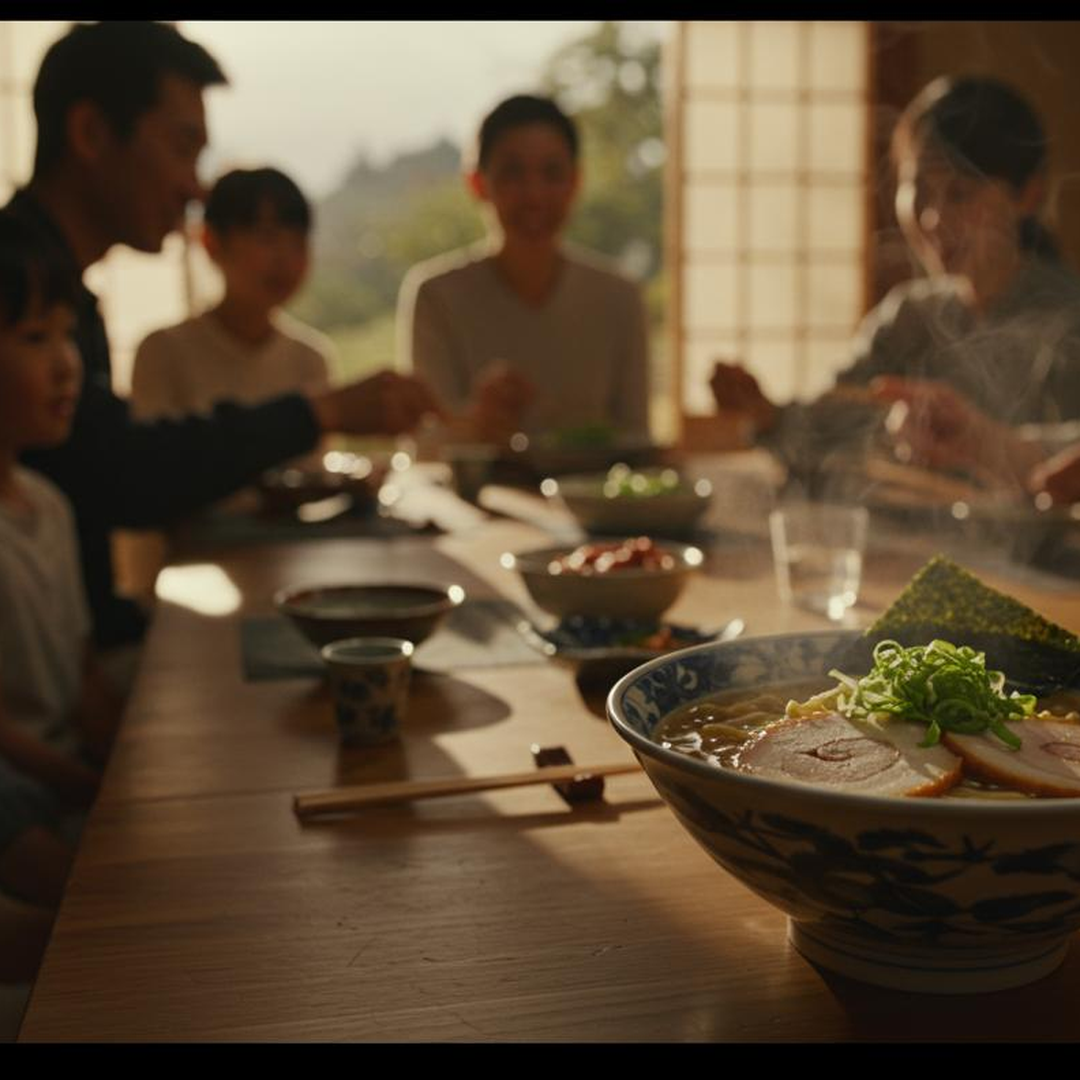
<Subject 3> is the environment in <Picture 3>: a warmly lit traditional Japanese dining room with a family gathered around a low table.

summary:
[reference generation] <Subject 1>, wearing <Subject 2>, joins the family dinner in <Subject 3> and shares the meal.

retention_analysis:
<Subject 1> (appears in [Shot 1]): fully_preserved - the young man's face, dark curly hair and white T-shirt are retained.
<Subject 2> (appears in [Shot 1]): fully_preserved - the silver wraparound frame and dark lenses of the sunglasses are retained.
<Subject 3> (appears in [Shot 1]): fully_preserved - the paper doors, low wooden table, warm lantern light and the family are retained.

detailed_description:
The target video is in a realistic live-action style with warm lantern light.
[Shot 1] A medium wide shot with a gentle handheld drift. <Subject 1> (S1) slides open the paper door of <Subject 3>, with <Subject 2> pushed up on his forehead. He smiles, lowers the sunglasses, bows slightly and says, <d>[English] Sorry I'm late, the train was packed.</d> The family laughs and makes room for him at the low table while steam rises from the bowls of ramen.

overall_soundscape:
Soft family chatter, clinking ceramic bowls, the slide of a paper door and the hiss of a simmering pot.

non_diegetic_music:
N/A
3 images · 10 s request
6.85× lower latency for this workload. 131.25 s → 19.15 s end to end (three-seed means).
Source references (3)
Full prompt
subject_definitions:
<Subject 1> is the young man with dark curly hair wearing a white T-shirt in <Picture 1>.
<Subject 2> is the pair of silver wraparound sunglasses shown from three angles in <Picture 2>.
<Subject 3> is the environment in <Picture 3>: a warmly lit traditional Japanese dining room with a family gathered around a low table.

summary:
[reference generation] <Subject 1>, wearing <Subject 2>, joins the family dinner in <Subject 3> and shares the meal.

retention_analysis:
<Subject 1> (appears in [Shot 1], [Shot 2]): fully_preserved - the young man's face, dark curly hair and white T-shirt are retained.
<Subject 2> (appears in [Shot 1], [Shot 2]): fully_preserved - the silver wraparound frame and dark lenses of the sunglasses are retained.
<Subject 3> (appears in [Shot 1], [Shot 2]): fully_preserved - the paper doors, low wooden table, warm lantern light and the family are retained.

detailed_description:
The target video is in a realistic live-action style with warm lantern light.
[Shot 1] A medium wide shot with a gentle handheld drift. <Subject 1> (S1) slides open the paper door of <Subject 3>, with <Subject 2> pushed up on his forehead. He smiles, lowers the sunglasses, bows slightly and says, <d>[English] Sorry I'm late, the train was packed.</d> The family laughs and makes room for him at the low table while steam rises from the bowls of ramen.
[Shot 2] At 00:05.000, the shot cuts to a medium shot across the table. <Subject 1> kneels at the low table, takes off <Subject 2> and sets them beside his bowl. The child across from him picks up the sunglasses, tries them on, and the whole family laughs.

overall_soundscape:
Soft family chatter, clinking ceramic bowls, the slide of a paper door and the hiss of a simmering pot.

non_diegetic_music:
N/A
3 images · 15 s request
7.80× lower latency for this workload. 206.88 s → 26.53 s end to end (three-seed means).
Source references (3)
Full prompt
subject_definitions:
<Subject 1> is the young man with dark curly hair wearing a white T-shirt in <Picture 1>.
<Subject 2> is the pair of silver wraparound sunglasses shown from three angles in <Picture 2>.
<Subject 3> is the environment in <Picture 3>: a warmly lit traditional Japanese dining room with a family gathered around a low table.

summary:
[reference generation] <Subject 1>, wearing <Subject 2>, joins the family dinner in <Subject 3> and shares the meal.

retention_analysis:
<Subject 1> (appears in [Shot 1], [Shot 2], [Shot 3]): fully_preserved - the young man's face, dark curly hair and white T-shirt are retained.
<Subject 2> (appears in [Shot 1], [Shot 2]): fully_preserved - the silver wraparound frame and dark lenses of the sunglasses are retained.
<Subject 3> (appears in [Shot 1], [Shot 2], [Shot 3]): fully_preserved - the paper doors, low wooden table, warm lantern light and the family are retained.

detailed_description:
The target video is in a realistic live-action style with warm lantern light.
[Shot 1] A medium wide shot with a gentle handheld drift. <Subject 1> (S1) slides open the paper door of <Subject 3>, with <Subject 2> pushed up on his forehead. He smiles, lowers the sunglasses, bows slightly and says, <d>[English] Sorry I'm late, the train was packed.</d> The family laughs and makes room for him at the low table while steam rises from the bowls of ramen.
[Shot 2] At 00:05.000, the shot cuts to a medium shot across the table. <Subject 1> kneels at the low table, takes off <Subject 2> and sets them beside his bowl. The child across from him picks up the sunglasses, tries them on, and the whole family laughs.
[Shot 3] At 00:10.000, the shot cuts to a close-up of a steaming bowl of ramen. <Subject 1> (S1) lifts noodles with his chopsticks, takes a bite and says, <d>[English] This is worth the trip.</d> The lantern light glows on the lacquered table.

overall_soundscape:
Soft family chatter, clinking ceramic bowls, the slide of a paper door and the hiss of a simmering pot.

non_diegetic_music:
N/A
9 images · 5 s request
5.63× lower latency for this workload. 121.61 s → 21.59 s end to end (three-seed means).
Source references (9)
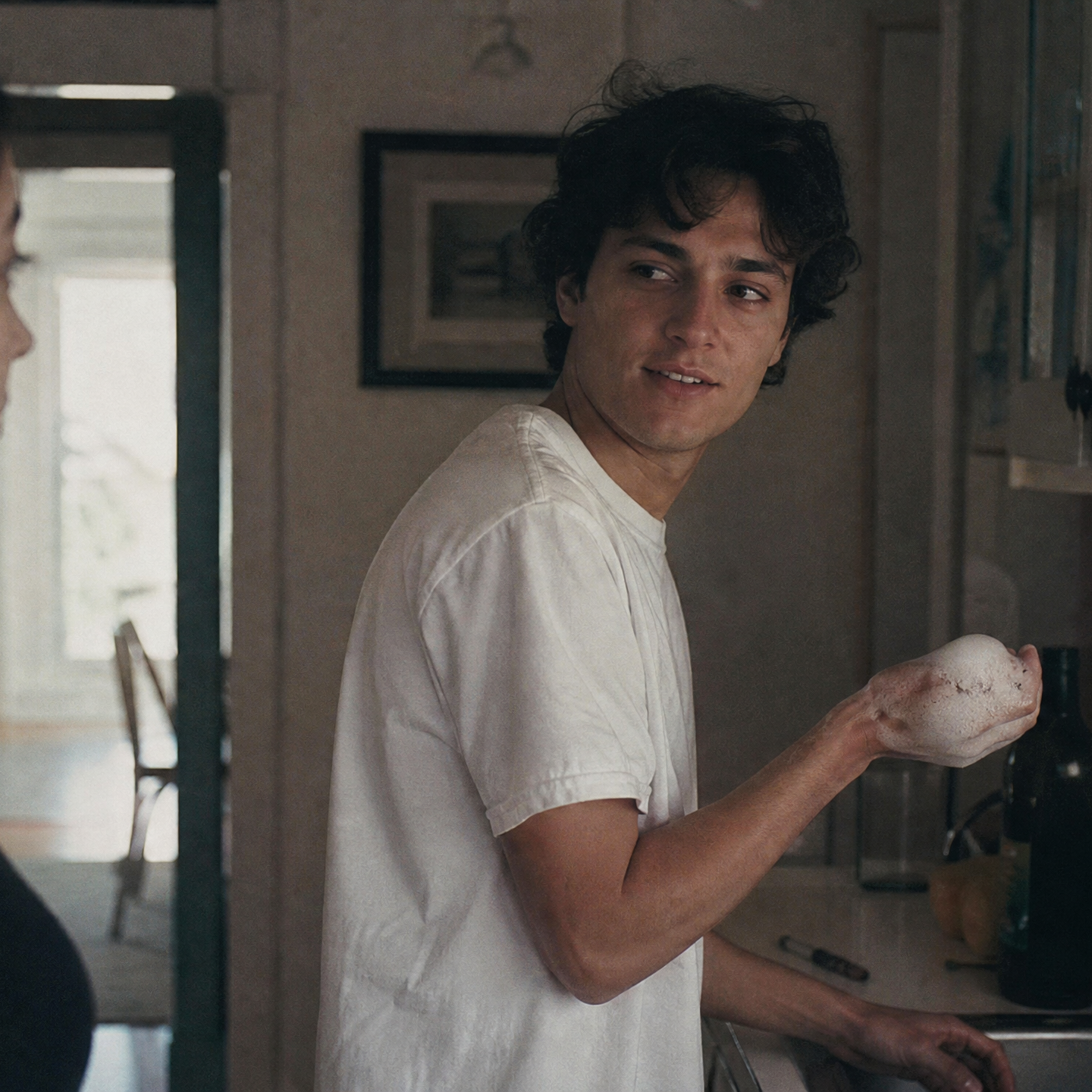

Full prompt
subject_definitions:
<Subject 1> is the young man with dark curly hair wearing a white T-shirt in <Picture 1>.
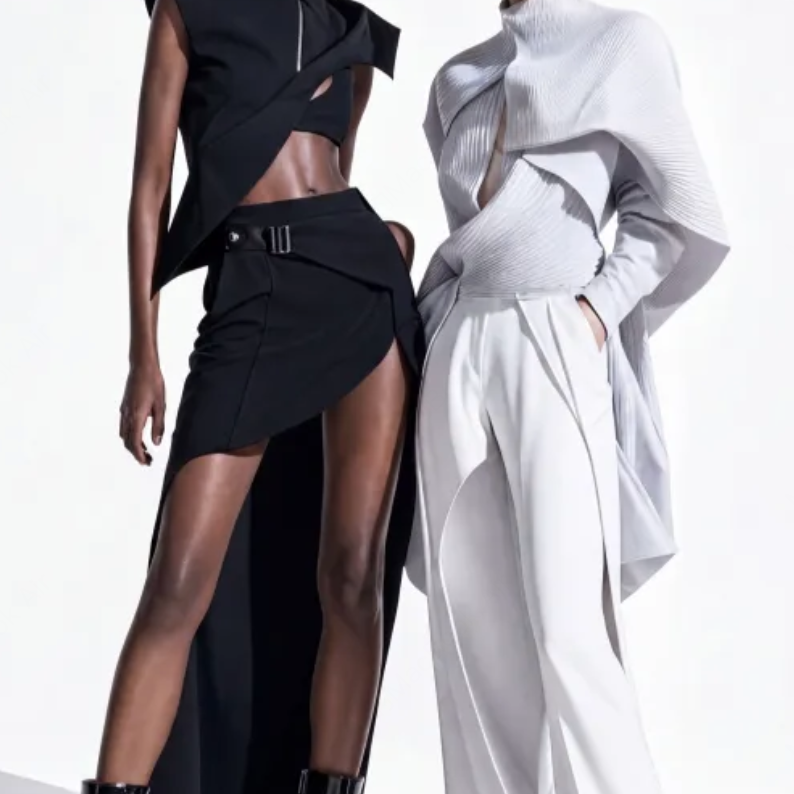
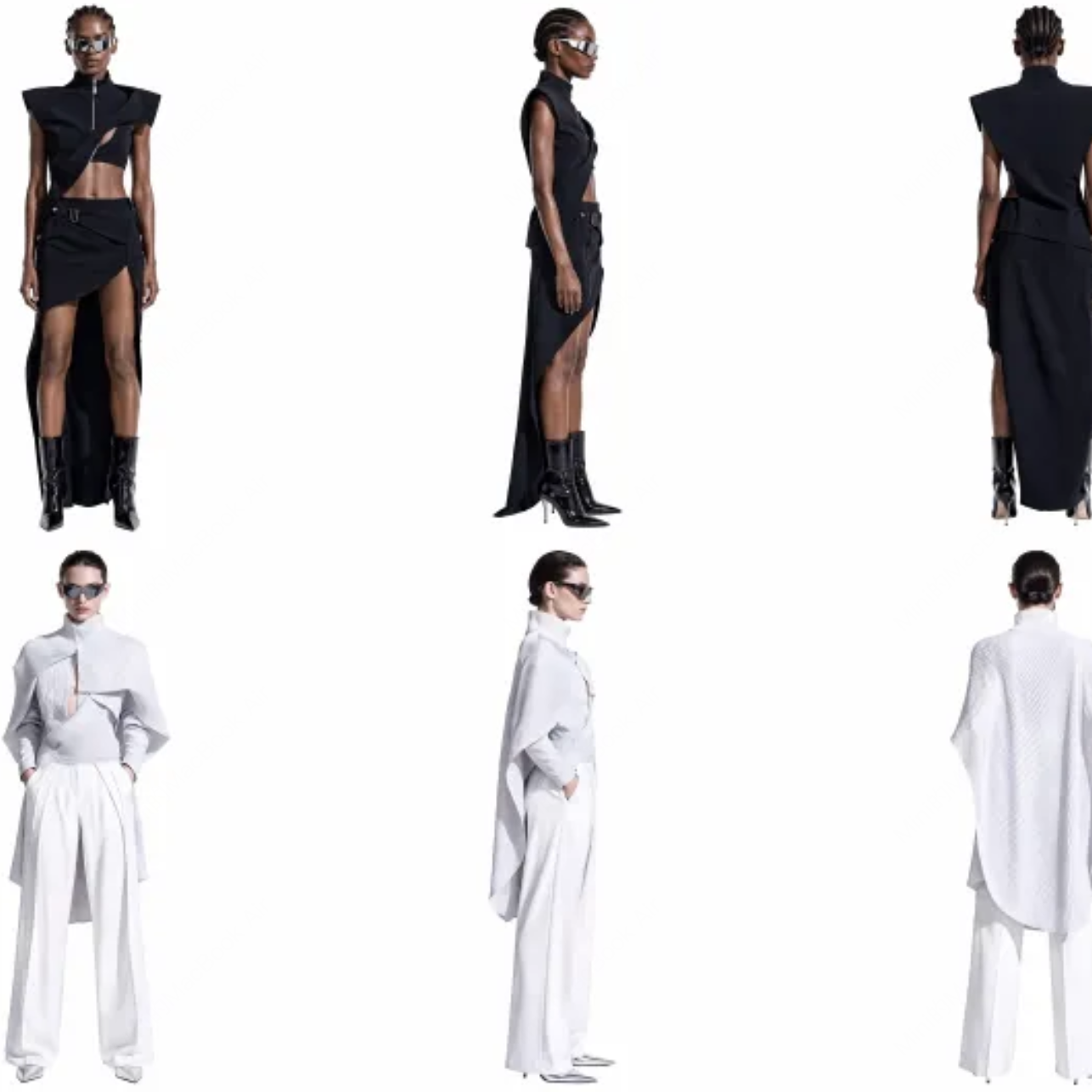
<Subject 2> is the model in the black sleeveless dress in <Picture 3> and <Picture 4>.
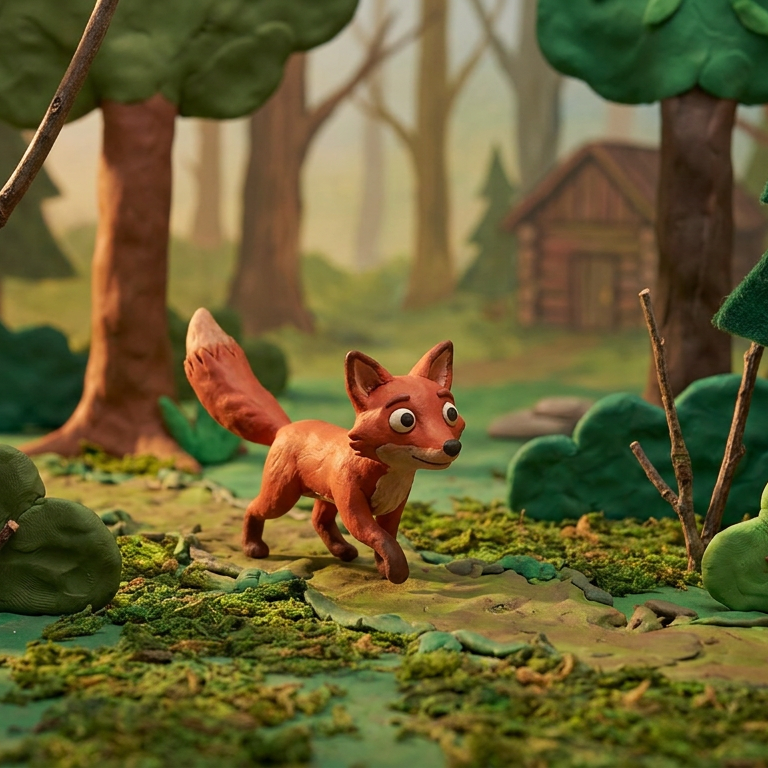
<Subject 3> is the clay fox in <Picture 6>.
<Subject 4> is the pair of silver wraparound sunglasses in <Picture 5>.
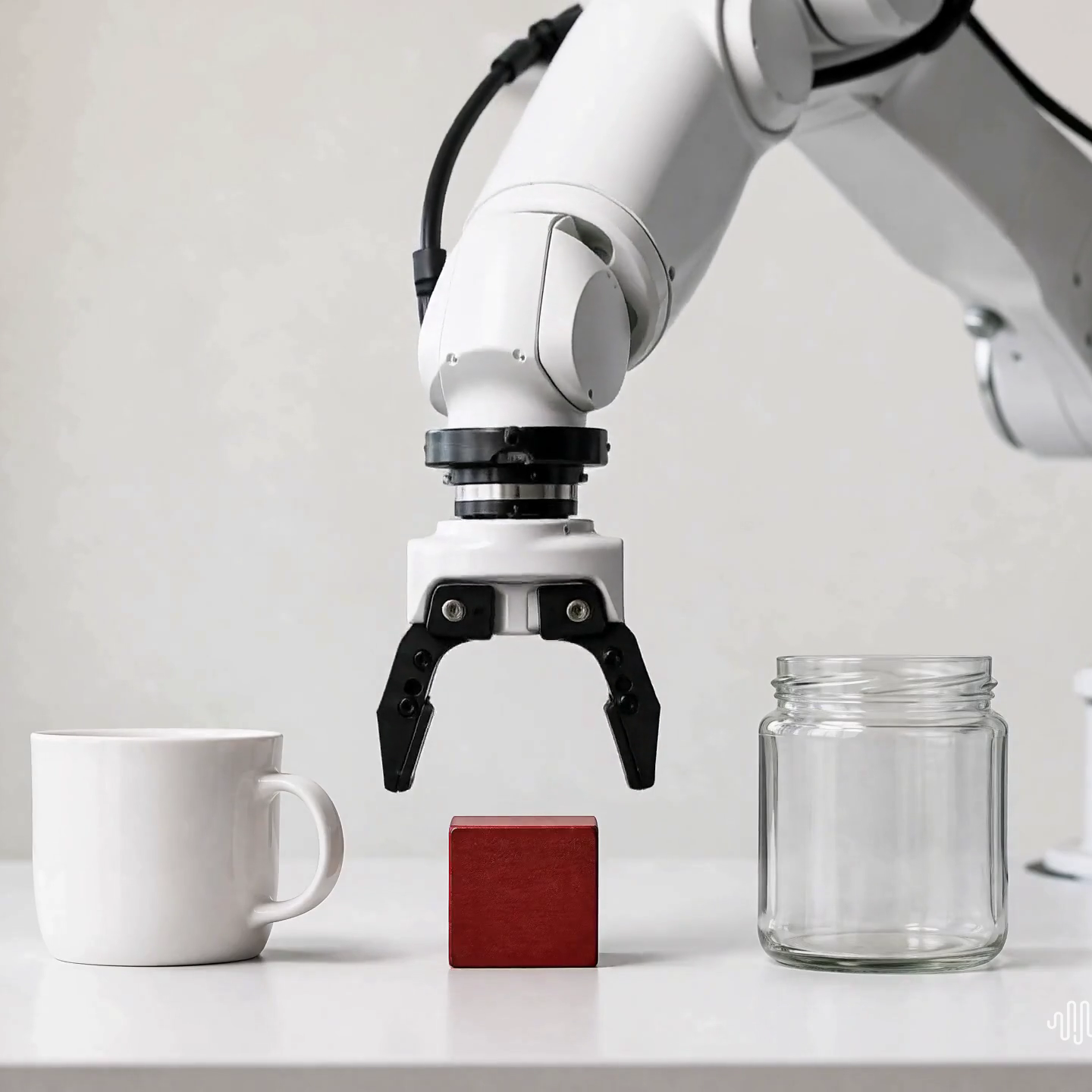
<Subject 5> is the white robotic arm in <Picture 9>.
<Subject 6> is the family dining room in <Picture 2>.
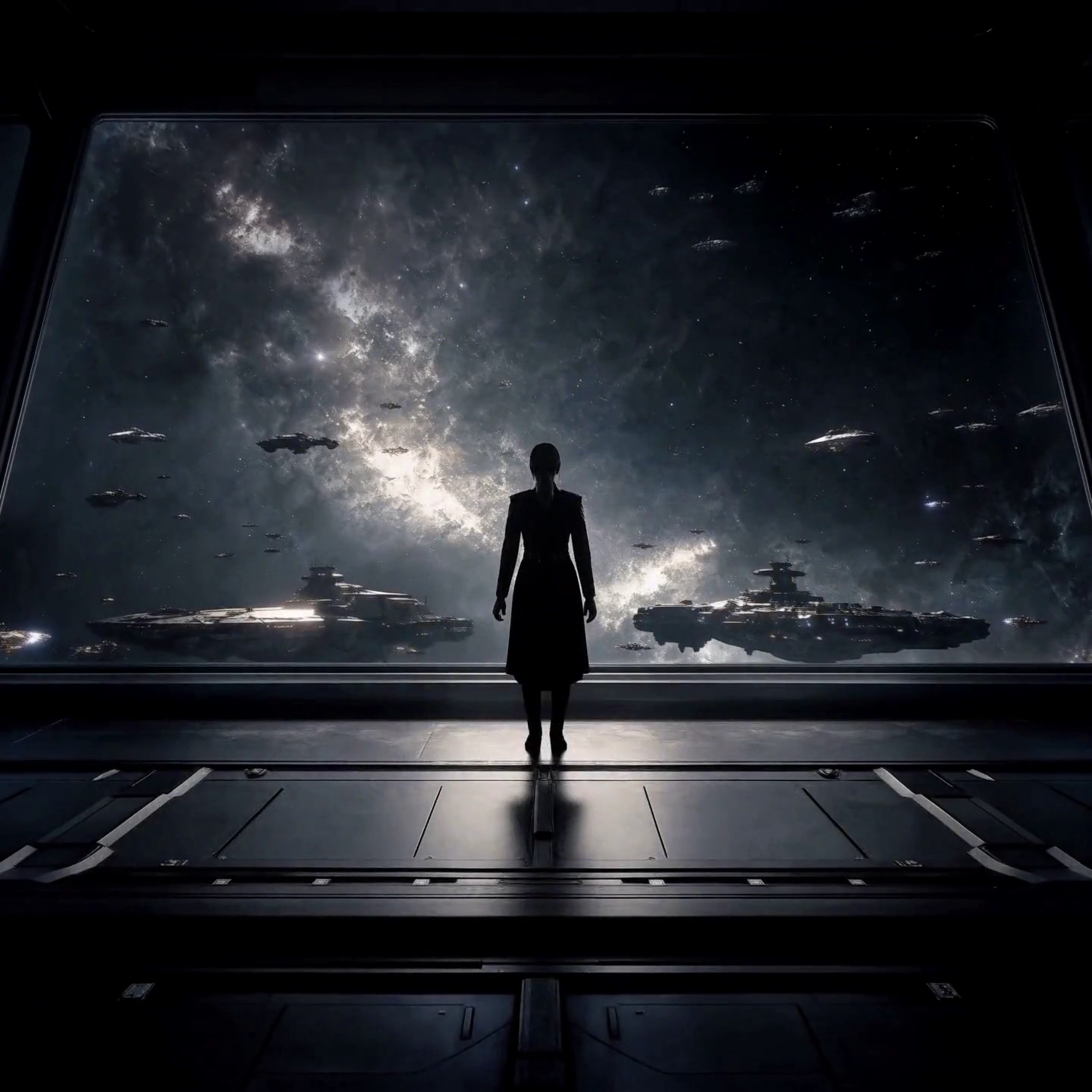
<Subject 7> is the starship observation deck in <Picture 7>.
<Subject 8> is the noir title-card style of <Picture 8>.

summary:
[reference generation] A five-shot sunglasses commercial cuts between a family dinner, a fashion studio, a clay forest, a robot lab and a starship deck, and ends on a noir title card.

retention_analysis:
<Subject 1> (appears in [Shot 1]): fully_preserved - the young man's face, dark curly hair and white T-shirt are retained.
<Subject 2> (appears in [Shot 2]): fully_preserved - the model's braided hair and black sleeveless dress are retained.
<Subject 3> (appears in [Shot 3]): fully_preserved - the clay fox's shape and stop-motion texture are retained.
<Subject 4> (appears in [Shot 1], [Shot 2], [Shot 3], [Shot 4], [Shot 5]): fully_preserved - the silver wraparound frame and dark lenses are retained.
<Subject 5> (appears in [Shot 4]): fully_preserved - the white robotic arm and its black gripper are retained.
<Subject 6> (appears in [Shot 1]): fully_preserved - the low table and warm light of the dining room are retained.
<Subject 7> (appears in [Shot 5]): fully_preserved - the great window and the starfield of the observation deck are retained.
<Subject 8> (appears in [Shot 5]): weak_reference - the closing card follows its flat noir palette and lettering.

detailed_description:
The target video is a fast-cut commercial that changes visual style with each shot.
[Shot 1] A live-action medium shot. <Subject 1> sits down at the table of <Subject 6> and puts on <Subject 4>.
[Shot 2] At 00:01.000, the shot cuts to a white-cyclorama fashion studio, where <Subject 2> turns toward the camera wearing <Subject 4>.
[Shot 3] At 00:02.000, the shot cuts to stop-motion clay animation: <Subject 3> finds <Subject 4> on a mossy stump and tries them on.
[Shot 4] At 00:03.000, the shot cuts to a white table, where <Subject 5> lifts <Subject 4> and holds them up to the light.
[Shot 5] At 00:04.000, the shot cuts to <Subject 7>: a silhouetted captain slips on <Subject 4>, and the frame cuts to a title card in the style of <Subject 8>.

overall_soundscape:
Quick cuts carry a dinner murmur, a camera shutter, rustling leaves, a servo whir and a low starship hum.

non_diegetic_music:
A cool jazz bass line with brushed drums at a steady medium tempo.
9 images · 10 s request
6.30× lower latency for this workload. 193.95 s → 30.80 s end to end (three-seed means).
Source references (9)
Full prompt
subject_definitions:
<Subject 1> is the young man with dark curly hair wearing a white T-shirt in <Picture 1>.
<Subject 2> is the model in the black sleeveless dress in <Picture 3> and <Picture 4>.
<Subject 3> is the clay fox in <Picture 6>.
<Subject 4> is the pair of silver wraparound sunglasses in <Picture 5>.
<Subject 5> is the white robotic arm in <Picture 9>.
<Subject 6> is the family dining room in <Picture 2>.
<Subject 7> is the starship observation deck in <Picture 7>.
<Subject 8> is the noir title-card style of <Picture 8>.

summary:
[reference generation] A five-shot sunglasses commercial cuts between a family dinner, a fashion studio, a clay forest, a robot lab and a starship deck, and ends on a noir title card.

retention_analysis:
<Subject 1> (appears in [Shot 1]): fully_preserved - the young man's face, dark curly hair and white T-shirt are retained.
<Subject 2> (appears in [Shot 2]): fully_preserved - the model's braided hair and black sleeveless dress are retained.
<Subject 3> (appears in [Shot 3]): fully_preserved - the clay fox's shape and stop-motion texture are retained.
<Subject 4> (appears in [Shot 1], [Shot 2], [Shot 3], [Shot 4], [Shot 5]): fully_preserved - the silver wraparound frame and dark lenses are retained.
<Subject 5> (appears in [Shot 4]): fully_preserved - the white robotic arm and its black gripper are retained.
<Subject 6> (appears in [Shot 1]): fully_preserved - the low table and warm light of the dining room are retained.
<Subject 7> (appears in [Shot 5]): fully_preserved - the great window and the starfield of the observation deck are retained.
<Subject 8> (appears in [Shot 5]): weak_reference - the closing card follows its flat noir palette and lettering.

detailed_description:
The target video is a fast-cut commercial that changes visual style with each shot.
[Shot 1] A live-action medium shot. <Subject 1> sits down at the table of <Subject 6> and puts on <Subject 4>.
[Shot 2] At 00:02.000, the shot cuts to a white-cyclorama fashion studio, where <Subject 2> turns toward the camera wearing <Subject 4>.
[Shot 3] At 00:04.000, the shot cuts to stop-motion clay animation: <Subject 3> finds <Subject 4> on a mossy stump and tries them on.
[Shot 4] At 00:06.000, the shot cuts to a white table, where <Subject 5> lifts <Subject 4> and holds them up to the light.
[Shot 5] At 00:08.000, the shot cuts to <Subject 7>: a silhouetted captain slips on <Subject 4>, and the frame cuts to a title card in the style of <Subject 8>.

overall_soundscape:
Quick cuts carry a dinner murmur, a camera shutter, rustling leaves, a servo whir and a low starship hum.

non_diegetic_music:
A cool jazz bass line with brushed drums at a steady medium tempo.
9 images · 15 s request
6.80× lower latency for this workload. 282.81 s → 41.57 s end to end (three-seed means).
Source references (9)
Full prompt
subject_definitions:
<Subject 1> is the young man with dark curly hair wearing a white T-shirt in <Picture 1>.
<Subject 2> is the model in the black sleeveless dress in <Picture 3> and <Picture 4>.
<Subject 3> is the clay fox in <Picture 6>.
<Subject 4> is the pair of silver wraparound sunglasses in <Picture 5>.
<Subject 5> is the white robotic arm in <Picture 9>.
<Subject 6> is the family dining room in <Picture 2>.
<Subject 7> is the starship observation deck in <Picture 7>.
<Subject 8> is the noir title-card style of <Picture 8>.

summary:
[reference generation] A five-shot sunglasses commercial cuts between a family dinner, a fashion studio, a clay forest, a robot lab and a starship deck, and ends on a noir title card.

retention_analysis:
<Subject 1> (appears in [Shot 1]): fully_preserved - the young man's face, dark curly hair and white T-shirt are retained.
<Subject 2> (appears in [Shot 2]): fully_preserved - the model's braided hair and black sleeveless dress are retained.
<Subject 3> (appears in [Shot 3]): fully_preserved - the clay fox's shape and stop-motion texture are retained.
<Subject 4> (appears in [Shot 1], [Shot 2], [Shot 3], [Shot 4], [Shot 5]): fully_preserved - the silver wraparound frame and dark lenses are retained.
<Subject 5> (appears in [Shot 4]): fully_preserved - the white robotic arm and its black gripper are retained.
<Subject 6> (appears in [Shot 1]): fully_preserved - the low table and warm light of the dining room are retained.
<Subject 7> (appears in [Shot 5]): fully_preserved - the great window and the starfield of the observation deck are retained.
<Subject 8> (appears in [Shot 5]): weak_reference - the closing card follows its flat noir palette and lettering.

detailed_description:
The target video is a fast-cut commercial that changes visual style with each shot.
[Shot 1] A live-action medium shot. <Subject 1> sits down at the table of <Subject 6> and puts on <Subject 4>.
[Shot 2] At 00:03.000, the shot cuts to a white-cyclorama fashion studio, where <Subject 2> turns toward the camera wearing <Subject 4>.
[Shot 3] At 00:06.000, the shot cuts to stop-motion clay animation: <Subject 3> finds <Subject 4> on a mossy stump and tries them on.
[Shot 4] At 00:09.000, the shot cuts to a white table, where <Subject 5> lifts <Subject 4> and holds them up to the light.
[Shot 5] At 00:12.000, the shot cuts to <Subject 7>: a silhouetted captain slips on <Subject 4>, and the frame cuts to a title card in the style of <Subject 8>.

overall_soundscape:
Quick cuts carry a dinner murmur, a camera shutter, rustling leaves, a servo whir and a low starship hum.

non_diegetic_music:
A cool jazz bass line with brushed drums at a steady medium tempo.
1 short clip · 5 s request
6.98× lower latency for this workload. 36.06 s → 5.17 s end to end (three-seed means).
Source references (1)
Full prompt
subject_definitions:
<Subject 1> is the young man with short wavy blonde hair, wearing a bright pink suit jacket, matching pink trousers, an unbuttoned white shirt and silver rings, holding a small black lamb in his arms in <Video 1>.
<Subject 2> is the environment in <Video 1>: a grassy hill at golden hour with white lambs grazing.
<Audio 1> is the synchronized audio track of <Video 1>, a soft background music.

summary:
[reference generation + audio reference] <Subject 1> spends a quiet moment with the black lamb in <Subject 2>, over music in the manner of <Audio 1>.

retention_analysis:
<Subject 1> (appears in [Shot 1]): fully_preserved - the man's blonde hair, pink suit, white shirt, rings and the black lamb are retained.
<Subject 2> (appears in [Shot 1]): fully_preserved - the grassy hill, golden light and grazing lambs are retained.
<Audio 1>: reference - the soft background music is referenced throughout.

detailed_description:
The target video is in a realistic photographic style with golden-hour light.
[Shot 1] A steady medium shot. <Subject 1> cradles the black lamb in the warm, low sunlight of <Subject 2>. The lamb lifts its head and nuzzles his chin; he laughs softly, tilts his head toward the camera and grins while the white lambs keep grazing on the hill.

overall_soundscape:
A light breeze over the grass and distant bleating, beneath gentle music in the manner of <Audio 1>.

non_diegetic_music:
N/A
1 short clip · 10 s request
9.89× lower latency for this workload. 79.73 s → 8.06 s end to end (three-seed means).
Source references (1)
Full prompt
subject_definitions:
<Subject 1> is the young man with short wavy blonde hair, wearing a bright pink suit jacket, matching pink trousers, an unbuttoned white shirt and silver rings, holding a small black lamb in his arms in <Video 1>.
<Subject 2> is the environment in <Video 1>: a grassy hill at golden hour with white lambs grazing.
<Audio 1> is the synchronized audio track of <Video 1>, a soft background music.

summary:
[reference generation + audio reference] <Subject 1> spends a quiet moment with the black lamb in <Subject 2>, over music in the manner of <Audio 1>.

retention_analysis:
<Subject 1> (appears in [Shot 1], [Shot 2]): fully_preserved - the man's blonde hair, pink suit, white shirt, rings and the black lamb are retained.
<Subject 2> (appears in [Shot 1], [Shot 2]): fully_preserved - the grassy hill, golden light and grazing lambs are retained.
<Audio 1>: reference - the soft background music is referenced throughout.

detailed_description:
The target video is in a realistic photographic style with golden-hour light.
[Shot 1] A steady medium shot. <Subject 1> cradles the black lamb in the warm, low sunlight of <Subject 2>. The lamb lifts its head and nuzzles his chin; he laughs softly, tilts his head toward the camera and grins while the white lambs keep grazing on the hill.
[Shot 2] At 00:05.000, the shot cuts to a wide shot from down the hill. <Subject 1> walks slowly through the flock with the black lamb in his arms, the white lambs parting around his legs and the long grass bending in the breeze.

overall_soundscape:
A light breeze over the grass and distant bleating, beneath gentle music in the manner of <Audio 1>.

non_diegetic_music:
N/A
1 short clip · 15 s request
11.93× lower latency for this workload. 140.29 s → 11.76 s end to end (three-seed means).
Source references (1)
Full prompt
subject_definitions:
<Subject 1> is the young man with short wavy blonde hair, wearing a bright pink suit jacket, matching pink trousers, an unbuttoned white shirt and silver rings, holding a small black lamb in his arms in <Video 1>.
<Subject 2> is the environment in <Video 1>: a grassy hill at golden hour with white lambs grazing.
<Audio 1> is the synchronized audio track of <Video 1>, a soft background music.

summary:
[reference generation + audio reference] <Subject 1> spends a quiet moment with the black lamb in <Subject 2>, over music in the manner of <Audio 1>.

retention_analysis:
<Subject 1> (appears in [Shot 1], [Shot 2], [Shot 3]): fully_preserved - the man's blonde hair, pink suit, white shirt, rings and the black lamb are retained.
<Subject 2> (appears in [Shot 1], [Shot 2], [Shot 3]): fully_preserved - the grassy hill, golden light and grazing lambs are retained.
<Audio 1>: reference - the soft background music is referenced throughout.

detailed_description:
The target video is in a realistic photographic style with golden-hour light.
[Shot 1] A steady medium shot. <Subject 1> cradles the black lamb in the warm, low sunlight of <Subject 2>. The lamb lifts its head and nuzzles his chin; he laughs softly, tilts his head toward the camera and grins while the white lambs keep grazing on the hill.
[Shot 2] At 00:05.000, the shot cuts to a wide shot from down the hill. <Subject 1> walks slowly through the flock with the black lamb in his arms, the white lambs parting around his legs and the long grass bending in the breeze.
[Shot 3] At 00:10.000, the shot cuts to a close shot near the ground. <Subject 1> kneels and sets the black lamb down among the white lambs; it shakes its ears and trots off, and he watches it go with a smile, his rings catching the light.

overall_soundscape:
A light breeze over the grass and distant bleating, beneath gentle music in the manner of <Audio 1>.

non_diegetic_music:
N/A
1 long clip · 5 s request
8.39× lower latency for this workload. 69.93 s → 8.34 s end to end (three-seed means).
Source references (1)
Full prompt
subject_definitions:
<Subject 1> is the young man with short wavy blonde hair, wearing a bright pink suit jacket, matching pink trousers, an unbuttoned white shirt and silver rings, holding a small black lamb in his arms in <Video 1>.
<Subject 2> is the environment in <Video 1>: a grassy hill at golden hour with white lambs grazing.
<Audio 1> is the synchronized audio track of <Video 1>, a soft background music.

summary:
[reference generation + audio reference] <Subject 1> spends a quiet moment with the black lamb in <Subject 2>, over music in the manner of <Audio 1>.

retention_analysis:
<Subject 1> (appears in [Shot 1]): fully_preserved - the man's blonde hair, pink suit, white shirt, rings and the black lamb are retained.
<Subject 2> (appears in [Shot 1]): fully_preserved - the grassy hill, golden light and grazing lambs are retained.
<Audio 1>: reference - the soft background music is referenced throughout.

detailed_description:
The target video is in a realistic photographic style with golden-hour light.
[Shot 1] A steady medium shot. <Subject 1> cradles the black lamb in the warm, low sunlight of <Subject 2>. The lamb lifts its head and nuzzles his chin; he laughs softly, tilts his head toward the camera and grins while the white lambs keep grazing on the hill.

overall_soundscape:
A light breeze over the grass and distant bleating, beneath gentle music in the manner of <Audio 1>.

non_diegetic_music:
N/A
1 long clip · 10 s request
10.31× lower latency for this workload. 139.27 s → 13.51 s end to end (three-seed means).
Source references (1)
Full prompt
subject_definitions:
<Subject 1> is the young man with short wavy blonde hair, wearing a bright pink suit jacket, matching pink trousers, an unbuttoned white shirt and silver rings, holding a small black lamb in his arms in <Video 1>.
<Subject 2> is the environment in <Video 1>: a grassy hill at golden hour with white lambs grazing.
<Audio 1> is the synchronized audio track of <Video 1>, a soft background music.

summary:
[reference generation + audio reference] <Subject 1> spends a quiet moment with the black lamb in <Subject 2>, over music in the manner of <Audio 1>.

retention_analysis:
<Subject 1> (appears in [Shot 1], [Shot 2]): fully_preserved - the man's blonde hair, pink suit, white shirt, rings and the black lamb are retained.
<Subject 2> (appears in [Shot 1], [Shot 2]): fully_preserved - the grassy hill, golden light and grazing lambs are retained.
<Audio 1>: reference - the soft background music is referenced throughout.

detailed_description:
The target video is in a realistic photographic style with golden-hour light.
[Shot 1] A steady medium shot. <Subject 1> cradles the black lamb in the warm, low sunlight of <Subject 2>. The lamb lifts its head and nuzzles his chin; he laughs softly, tilts his head toward the camera and grins while the white lambs keep grazing on the hill.
[Shot 2] At 00:05.000, the shot cuts to a wide shot from down the hill. <Subject 1> walks slowly through the flock with the black lamb in his arms, the white lambs parting around his legs and the long grass bending in the breeze.

overall_soundscape:
A light breeze over the grass and distant bleating, beneath gentle music in the manner of <Audio 1>.

non_diegetic_music:
N/A
1 long clip · 15 s request
11.72× lower latency for this workload. 215.75 s → 18.41 s end to end (three-seed means).
Source references (1)
Full prompt
subject_definitions:
<Subject 1> is the young man with short wavy blonde hair, wearing a bright pink suit jacket, matching pink trousers, an unbuttoned white shirt and silver rings, holding a small black lamb in his arms in <Video 1>.
<Subject 2> is the environment in <Video 1>: a grassy hill at golden hour with white lambs grazing.
<Audio 1> is the synchronized audio track of <Video 1>, a soft background music.

summary:
[reference generation + audio reference] <Subject 1> spends a quiet moment with the black lamb in <Subject 2>, over music in the manner of <Audio 1>.

retention_analysis:
<Subject 1> (appears in [Shot 1], [Shot 2], [Shot 3]): fully_preserved - the man's blonde hair, pink suit, white shirt, rings and the black lamb are retained.
<Subject 2> (appears in [Shot 1], [Shot 2], [Shot 3]): fully_preserved - the grassy hill, golden light and grazing lambs are retained.
<Audio 1>: reference - the soft background music is referenced throughout.

detailed_description:
The target video is in a realistic photographic style with golden-hour light.
[Shot 1] A steady medium shot. <Subject 1> cradles the black lamb in the warm, low sunlight of <Subject 2>. The lamb lifts its head and nuzzles his chin; he laughs softly, tilts his head toward the camera and grins while the white lambs keep grazing on the hill.
[Shot 2] At 00:05.000, the shot cuts to a wide shot from down the hill. <Subject 1> walks slowly through the flock with the black lamb in his arms, the white lambs parting around his legs and the long grass bending in the breeze.
[Shot 3] At 00:10.000, the shot cuts to a close shot near the ground. <Subject 1> kneels and sets the black lamb down among the white lambs; it shakes its ears and trots off, and he watches it go with a smile, his rings catching the light.

overall_soundscape:
A light breeze over the grass and distant bleating, beneath gentle music in the manner of <Audio 1>.

non_diegetic_music:
N/A
3 clips · 5 s request
7.87× lower latency for this workload. 74.35 s → 9.45 s end to end (three-seed means).
Source references (3)
Full prompt
subject_definitions:
<Subject 1> is the young man with short wavy blonde hair, wearing a bright pink suit jacket, matching pink trousers, an unbuttoned white shirt and silver rings, holding a small black lamb in his arms in <Video 1>.
<Subject 2> is the white robotic arm with a black gripper in <Video 2>.
<Subject 3> is the dark starship observation deck in <Video 3>.
<Audio 1>, <Audio 2> and <Audio 3> are the synchronized audio tracks of <Video 1>, <Video 2> and <Video 3>.

summary:
[reference generation + audio reference] A three-shot sequence shows <Subject 1> in a golden pasture, <Subject 2> at work on a white table and the great window of <Subject 3>, with sound in the manner of <Audio 1>, <Audio 2> and <Audio 3>.

retention_analysis:
<Subject 1> (appears in [Shot 1]): fully_preserved - the man's blonde hair, pink suit and the black lamb are retained.
<Subject 2> (appears in [Shot 2]): fully_preserved - the white robotic arm and its black gripper are retained.
<Subject 3> (appears in [Shot 3]): fully_preserved - the dark deck, its great window and the starfield are retained.
<Audio 1>: reference - the pasture's soft music is referenced in the first shot.
<Audio 2>: reference - the servo whir is referenced in the second shot.
<Audio 3>: reference - the low starship hum is referenced in the third shot.

detailed_description:
The target video is in a realistic photographic style.
[Shot 1] <Subject 1> holds the black lamb in a golden pasture and looks up at the sky while soft music in the manner of <Audio 1> plays.
[Shot 2] At 00:01.667, the shot cuts to a white table, where <Subject 2> grips a red cube and drops it into a glass jar with a servo whir like <Audio 2>.
[Shot 3] At 00:03.333, the shot cuts to <Subject 3>: the camera pushes in toward the great window, where a fleet of ships drifts past the stars over a low hum like <Audio 3>.

overall_soundscape:
The pasture's soft music gives way to a servo whir and then a low starship hum.

non_diegetic_music:
N/A
3 clips · 10 s request
9.79× lower latency for this workload. 132.62 s → 13.55 s end to end (three-seed means).
Source references (3)
Full prompt
subject_definitions:
<Subject 1> is the young man with short wavy blonde hair, wearing a bright pink suit jacket, matching pink trousers, an unbuttoned white shirt and silver rings, holding a small black lamb in his arms in <Video 1>.
<Subject 2> is the white robotic arm with a black gripper in <Video 2>.
<Subject 3> is the dark starship observation deck in <Video 3>.
<Audio 1>, <Audio 2> and <Audio 3> are the synchronized audio tracks of <Video 1>, <Video 2> and <Video 3>.

summary:
[reference generation + audio reference] A three-shot sequence shows <Subject 1> in a golden pasture, <Subject 2> at work on a white table and the great window of <Subject 3>, with sound in the manner of <Audio 1>, <Audio 2> and <Audio 3>.

retention_analysis:
<Subject 1> (appears in [Shot 1]): fully_preserved - the man's blonde hair, pink suit and the black lamb are retained.
<Subject 2> (appears in [Shot 2]): fully_preserved - the white robotic arm and its black gripper are retained.
<Subject 3> (appears in [Shot 3]): fully_preserved - the dark deck, its great window and the starfield are retained.
<Audio 1>: reference - the pasture's soft music is referenced in the first shot.
<Audio 2>: reference - the servo whir is referenced in the second shot.
<Audio 3>: reference - the low starship hum is referenced in the third shot.

detailed_description:
The target video is in a realistic photographic style.
[Shot 1] <Subject 1> holds the black lamb in a golden pasture and looks up at the sky while soft music in the manner of <Audio 1> plays.
[Shot 2] At 00:03.333, the shot cuts to a white table, where <Subject 2> grips a red cube and drops it into a glass jar with a servo whir like <Audio 2>.
[Shot 3] At 00:06.667, the shot cuts to <Subject 3>: the camera pushes in toward the great window, where a fleet of ships drifts past the stars over a low hum like <Audio 3>.

overall_soundscape:
The pasture's soft music gives way to a servo whir and then a low starship hum.

non_diegetic_music:
N/A
3 clips · 15 s request
11.23× lower latency for this workload. 206.44 s → 18.38 s end to end (three-seed means).
Source references (3)
Full prompt
subject_definitions:
<Subject 1> is the young man with short wavy blonde hair, wearing a bright pink suit jacket, matching pink trousers, an unbuttoned white shirt and silver rings, holding a small black lamb in his arms in <Video 1>.
<Subject 2> is the white robotic arm with a black gripper in <Video 2>.
<Subject 3> is the dark starship observation deck in <Video 3>.
<Audio 1>, <Audio 2> and <Audio 3> are the synchronized audio tracks of <Video 1>, <Video 2> and <Video 3>.

summary:
[reference generation + audio reference] A three-shot sequence shows <Subject 1> in a golden pasture, <Subject 2> at work on a white table and the great window of <Subject 3>, with sound in the manner of <Audio 1>, <Audio 2> and <Audio 3>.

retention_analysis:
<Subject 1> (appears in [Shot 1]): fully_preserved - the man's blonde hair, pink suit and the black lamb are retained.
<Subject 2> (appears in [Shot 2]): fully_preserved - the white robotic arm and its black gripper are retained.
<Subject 3> (appears in [Shot 3]): fully_preserved - the dark deck, its great window and the starfield are retained.
<Audio 1>: reference - the pasture's soft music is referenced in the first shot.
<Audio 2>: reference - the servo whir is referenced in the second shot.
<Audio 3>: reference - the low starship hum is referenced in the third shot.

detailed_description:
The target video is in a realistic photographic style.
[Shot 1] <Subject 1> holds the black lamb in a golden pasture and looks up at the sky while soft music in the manner of <Audio 1> plays.
[Shot 2] At 00:05.000, the shot cuts to a white table, where <Subject 2> grips a red cube and drops it into a glass jar with a servo whir like <Audio 2>.
[Shot 3] At 00:10.000, the shot cuts to <Subject 3>: the camera pushes in toward the great window, where a fleet of ships drifts past the stars over a low hum like <Audio 3>.

overall_soundscape:
The pasture's soft music gives way to a servo whir and then a low starship hum.

non_diegetic_music:
N/A
Image + video + voice · 5 s request
7.21× lower latency for this workload. 94.14 s → 13.06 s end to end (three-seed means).
Source references (3)
Full prompt
subject_definitions:
<Subject 1> is the young man with dark curly hair wearing a white T-shirt in <Picture 1>.
<Subject 2> is the young man with short wavy blonde hair, wearing a bright pink suit jacket, matching pink trousers, an unbuttoned white shirt and silver rings, holding a small black lamb in his arms in <Video 1>.
<Subject 3> is the environment in <Video 1>: a grassy hill at golden hour with white lambs grazing.
<Audio 1> is the synchronized audio track of <Video 1>, a soft background music.
<Audio 2> is the voice-timbre reference for <Subject 1> (S1).

summary:
[reference generation + audio reference] <Subject 1> walks into <Subject 3> and greets <Subject 2>, speaking in the voice timbre of <Audio 2> over music in the manner of <Audio 1>.

retention_analysis:
<Subject 1> (appears in [Shot 1]): fully_preserved - the young man's face, dark curly hair and white T-shirt are retained.
<Subject 2> (appears in [Shot 1]): fully_preserved - the man's blonde hair, pink suit and the black lamb are retained.
<Subject 3> (appears in [Shot 1]): fully_preserved - the grassy hill, golden light and grazing lambs are retained.
<Audio 1>: reference - the soft background music is referenced beneath the dialogue.
<Audio 2>: reference - its vocal timbre guides the dialogue delivery of <Subject 1> without copying the original signal.

detailed_description:
The target video is in a realistic photographic style with golden-hour light.
[Shot 1] A steady medium shot of <Subject 3>. <Subject 2> cradles the black lamb in the warm sunlight as <Subject 1> (S1) steps into frame from the left, waves and says, using the voice timbre referenced from <Audio 2>, <d>[English] There you are, the whole farm is looking for that lamb.</d> <Subject 2> laughs and lifts the lamb a little higher.

overall_soundscape:
A light breeze over the grass, distant bleating and soft footsteps, beneath gentle music in the manner of <Audio 1>.

non_diegetic_music:
N/A
Image + video + voice · 10 s request
8.73× lower latency for this workload. 172.37 s → 19.75 s end to end (three-seed means).
Source references (3)
Full prompt
subject_definitions:
<Subject 1> is the young man with dark curly hair wearing a white T-shirt in <Picture 1>.
<Subject 2> is the young man with short wavy blonde hair, wearing a bright pink suit jacket, matching pink trousers, an unbuttoned white shirt and silver rings, holding a small black lamb in his arms in <Video 1>.
<Subject 3> is the environment in <Video 1>: a grassy hill at golden hour with white lambs grazing.
<Audio 1> is the synchronized audio track of <Video 1>, a soft background music.
<Audio 2> is the voice-timbre reference for <Subject 1> (S1).

summary:
[reference generation + audio reference] <Subject 1> walks into <Subject 3> and greets <Subject 2>, speaking in the voice timbre of <Audio 2> over music in the manner of <Audio 1>.

retention_analysis:
<Subject 1> (appears in [Shot 1], [Shot 2]): fully_preserved - the young man's face, dark curly hair and white T-shirt are retained.
<Subject 2> (appears in [Shot 1], [Shot 2]): fully_preserved - the man's blonde hair, pink suit and the black lamb are retained.
<Subject 3> (appears in [Shot 1], [Shot 2]): fully_preserved - the grassy hill, golden light and grazing lambs are retained.
<Audio 1>: reference - the soft background music is referenced beneath the dialogue.
<Audio 2>: reference - its vocal timbre guides the dialogue delivery of <Subject 1> without copying the original signal.

detailed_description:
The target video is in a realistic photographic style with golden-hour light.
[Shot 1] A steady medium shot of <Subject 3>. <Subject 2> cradles the black lamb in the warm sunlight as <Subject 1> (S1) steps into frame from the left, waves and says, using the voice timbre referenced from <Audio 2>, <d>[English] There you are, the whole farm is looking for that lamb.</d> <Subject 2> laughs and lifts the lamb a little higher.
[Shot 2] At 00:05.000, the shot cuts to a two-shot from the side. <Subject 1> (S1) reaches out and scratches the lamb behind its ears and says in the same voice, <d>[English] He looks far too comfortable to come home.</d> <Subject 2> grins and shakes his head while the white lambs graze behind them.

overall_soundscape:
A light breeze over the grass, distant bleating and soft footsteps, beneath gentle music in the manner of <Audio 1>.

non_diegetic_music:
N/A
Image + video + voice · 15 s request
9.65× lower latency for this workload. 257.71 s → 26.71 s end to end (three-seed means).
Source references (3)
Full prompt
subject_definitions:
<Subject 1> is the young man with dark curly hair wearing a white T-shirt in <Picture 1>.
<Subject 2> is the young man with short wavy blonde hair, wearing a bright pink suit jacket, matching pink trousers, an unbuttoned white shirt and silver rings, holding a small black lamb in his arms in <Video 1>.
<Subject 3> is the environment in <Video 1>: a grassy hill at golden hour with white lambs grazing.
<Audio 1> is the synchronized audio track of <Video 1>, a soft background music.
<Audio 2> is the voice-timbre reference for <Subject 1> (S1).

summary:
[reference generation + audio reference] <Subject 1> walks into <Subject 3> and greets <Subject 2>, speaking in the voice timbre of <Audio 2> over music in the manner of <Audio 1>.

retention_analysis:
<Subject 1> (appears in [Shot 1], [Shot 2], [Shot 3]): fully_preserved - the young man's face, dark curly hair and white T-shirt are retained.
<Subject 2> (appears in [Shot 1], [Shot 2], [Shot 3]): fully_preserved - the man's blonde hair, pink suit and the black lamb are retained.
<Subject 3> (appears in [Shot 1], [Shot 2], [Shot 3]): fully_preserved - the grassy hill, golden light and grazing lambs are retained.
<Audio 1>: reference - the soft background music is referenced beneath the dialogue.
<Audio 2>: reference - its vocal timbre guides the dialogue delivery of <Subject 1> without copying the original signal.

detailed_description:
The target video is in a realistic photographic style with golden-hour light.
[Shot 1] A steady medium shot of <Subject 3>. <Subject 2> cradles the black lamb in the warm sunlight as <Subject 1> (S1) steps into frame from the left, waves and says, using the voice timbre referenced from <Audio 2>, <d>[English] There you are, the whole farm is looking for that lamb.</d> <Subject 2> laughs and lifts the lamb a little higher.
[Shot 2] At 00:05.000, the shot cuts to a two-shot from the side. <Subject 1> (S1) reaches out and scratches the lamb behind its ears and says in the same voice, <d>[English] He looks far too comfortable to come home.</d> <Subject 2> grins and shakes his head while the white lambs graze behind them.
[Shot 3] At 00:10.000, the shot cuts to a wide shot from down the hill. <Subject 1> and <Subject 2> walk side by side toward the camera through the flock, the black lamb still in <Subject 2>'s arms, their long shadows stretching across the grass.

overall_soundscape:
A light breeze over the grass, distant bleating and soft footsteps, beneath gentle music in the manner of <Audio 1>.

non_diegetic_music:
N/A
9 images + 3 clips · 5 s request
5.88× lower latency for this workload. 219.90 s → 37.38 s end to end (three-seed means).
Source references (12)
Full prompt
subject_definitions:
<Subject 1> is the young man with dark curly hair wearing a white T-shirt in <Picture 1>.
<Subject 2> is the model in the black sleeveless dress in <Picture 3> and <Picture 4>.
<Subject 3> is the clay fox in <Picture 6>.
<Subject 4> is the pair of silver wraparound sunglasses in <Picture 5>.
<Subject 5> is the white robotic arm in <Picture 9> and <Video 2>.
<Subject 6> is the family dining room in <Picture 2>.
<Subject 7> is the starship observation deck in <Picture 7> and <Video 3>.
<Subject 8> is the noir title-card style of <Picture 8>.
<Subject 9> is the young man with short wavy blonde hair, wearing a bright pink suit jacket, matching pink trousers, an unbuttoned white shirt and silver rings, holding a small black lamb in his arms in <Video 1>.
<Audio 1>, <Audio 2> and <Audio 3> are the synchronized audio tracks of <Video 1>, <Video 2> and <Video 3>.

summary:
[reference generation + audio reference] A six-shot sunglasses commercial cuts between a family dinner, a fashion studio, a clay forest, a golden pasture, a robot lab and a starship deck, and ends on a noir title card.

retention_analysis:
<Subject 1> (appears in [Shot 1]): fully_preserved - the young man's face, dark curly hair and white T-shirt are retained.
<Subject 2> (appears in [Shot 2]): fully_preserved - the model's braided hair and black sleeveless dress are retained.
<Subject 3> (appears in [Shot 3]): fully_preserved - the clay fox's shape and stop-motion texture are retained.
<Subject 4> (appears in [Shot 1], [Shot 2], [Shot 3], [Shot 4], [Shot 5], [Shot 6]): fully_preserved - the silver wraparound frame and dark lenses are retained.
<Subject 5> (appears in [Shot 5]): fully_preserved - the white robotic arm and its motion are retained.
<Subject 6> (appears in [Shot 1]): fully_preserved - the low table and warm light of the dining room are retained.
<Subject 7> (appears in [Shot 6]): fully_preserved - the great window and the drifting fleet are retained.
<Subject 8> (appears in [Shot 6]): weak_reference - the closing card follows its flat noir palette and lettering.
<Subject 9> (appears in [Shot 4]): fully_preserved - the man's blonde hair, pink suit and the black lamb are retained.
<Audio 1>: reference - the pasture's soft music is referenced in the fourth shot.
<Audio 2>: reference - the servo whir is referenced in the fifth shot.
<Audio 3>: reference - the low starship hum is referenced in the sixth shot.

detailed_description:
The target video is a fast-cut commercial that changes visual style with each shot.
[Shot 1] A live-action medium shot. <Subject 1> sits down at the table of <Subject 6> and puts on <Subject 4>.
[Shot 2] At 00:00.833, the shot cuts to a white-cyclorama fashion studio, where <Subject 2> turns toward the camera wearing <Subject 4>.
[Shot 3] At 00:01.667, the shot cuts to stop-motion clay animation: <Subject 3> finds <Subject 4> on a mossy stump and tries them on.
[Shot 4] At 00:02.500, the shot cuts to a golden pasture, where <Subject 9> slides <Subject 4> onto his nose with one hand while holding the black lamb, over soft music in the manner of <Audio 1>.
[Shot 5] At 00:03.333, the shot cuts to a white table, where <Subject 5> lifts <Subject 4> and holds them up to the light with a servo whir like <Audio 2>.
[Shot 6] At 00:04.167, the shot cuts to <Subject 7>: a silhouetted captain slips on <Subject 4> before the great window over a low hum like <Audio 3>, and the frame cuts to a title card in the style of <Subject 8>.

overall_soundscape:
Quick cuts carry a dinner murmur, a camera shutter, rustling leaves, a breeze over grass, a servo whir and a low starship hum.

non_diegetic_music:
A cool jazz bass line with brushed drums at a steady medium tempo.
9 images + 3 clips · 10 s request
6.49× lower latency for this workload. 314.16 s → 48.38 s end to end (three-seed means).
Source references (12)
Full prompt
subject_definitions:
<Subject 1> is the young man with dark curly hair wearing a white T-shirt in <Picture 1>.
<Subject 2> is the model in the black sleeveless dress in <Picture 3> and <Picture 4>.
<Subject 3> is the clay fox in <Picture 6>.
<Subject 4> is the pair of silver wraparound sunglasses in <Picture 5>.
<Subject 5> is the white robotic arm in <Picture 9> and <Video 2>.
<Subject 6> is the family dining room in <Picture 2>.
<Subject 7> is the starship observation deck in <Picture 7> and <Video 3>.
<Subject 8> is the noir title-card style of <Picture 8>.
<Subject 9> is the young man with short wavy blonde hair, wearing a bright pink suit jacket, matching pink trousers, an unbuttoned white shirt and silver rings, holding a small black lamb in his arms in <Video 1>.
<Audio 1>, <Audio 2> and <Audio 3> are the synchronized audio tracks of <Video 1>, <Video 2> and <Video 3>.

summary:
[reference generation + audio reference] A six-shot sunglasses commercial cuts between a family dinner, a fashion studio, a clay forest, a golden pasture, a robot lab and a starship deck, and ends on a noir title card.

retention_analysis:
<Subject 1> (appears in [Shot 1]): fully_preserved - the young man's face, dark curly hair and white T-shirt are retained.
<Subject 2> (appears in [Shot 2]): fully_preserved - the model's braided hair and black sleeveless dress are retained.
<Subject 3> (appears in [Shot 3]): fully_preserved - the clay fox's shape and stop-motion texture are retained.
<Subject 4> (appears in [Shot 1], [Shot 2], [Shot 3], [Shot 4], [Shot 5], [Shot 6]): fully_preserved - the silver wraparound frame and dark lenses are retained.
<Subject 5> (appears in [Shot 5]): fully_preserved - the white robotic arm and its motion are retained.
<Subject 6> (appears in [Shot 1]): fully_preserved - the low table and warm light of the dining room are retained.
<Subject 7> (appears in [Shot 6]): fully_preserved - the great window and the drifting fleet are retained.
<Subject 8> (appears in [Shot 6]): weak_reference - the closing card follows its flat noir palette and lettering.
<Subject 9> (appears in [Shot 4]): fully_preserved - the man's blonde hair, pink suit and the black lamb are retained.
<Audio 1>: reference - the pasture's soft music is referenced in the fourth shot.
<Audio 2>: reference - the servo whir is referenced in the fifth shot.
<Audio 3>: reference - the low starship hum is referenced in the sixth shot.

detailed_description:
The target video is a fast-cut commercial that changes visual style with each shot.
[Shot 1] A live-action medium shot. <Subject 1> sits down at the table of <Subject 6> and puts on <Subject 4>.
[Shot 2] At 00:01.667, the shot cuts to a white-cyclorama fashion studio, where <Subject 2> turns toward the camera wearing <Subject 4>.
[Shot 3] At 00:03.333, the shot cuts to stop-motion clay animation: <Subject 3> finds <Subject 4> on a mossy stump and tries them on.
[Shot 4] At 00:05.000, the shot cuts to a golden pasture, where <Subject 9> slides <Subject 4> onto his nose with one hand while holding the black lamb, over soft music in the manner of <Audio 1>.
[Shot 5] At 00:06.667, the shot cuts to a white table, where <Subject 5> lifts <Subject 4> and holds them up to the light with a servo whir like <Audio 2>.
[Shot 6] At 00:08.333, the shot cuts to <Subject 7>: a silhouetted captain slips on <Subject 4> before the great window over a low hum like <Audio 3>, and the frame cuts to a title card in the style of <Subject 8>.

overall_soundscape:
Quick cuts carry a dinner murmur, a camera shutter, rustling leaves, a breeze over grass, a servo whir and a low starship hum.

non_diegetic_music:
A cool jazz bass line with brushed drums at a steady medium tempo.
9 images + 3 clips · 15 s request
7.06× lower latency for this workload. 422.20 s → 59.77 s end to end (three-seed means).
Source references (12)
Full prompt
subject_definitions:
<Subject 1> is the young man with dark curly hair wearing a white T-shirt in <Picture 1>.
<Subject 2> is the model in the black sleeveless dress in <Picture 3> and <Picture 4>.
<Subject 3> is the clay fox in <Picture 6>.
<Subject 4> is the pair of silver wraparound sunglasses in <Picture 5>.
<Subject 5> is the white robotic arm in <Picture 9> and <Video 2>.
<Subject 6> is the family dining room in <Picture 2>.
<Subject 7> is the starship observation deck in <Picture 7> and <Video 3>.
<Subject 8> is the noir title-card style of <Picture 8>.
<Subject 9> is the young man with short wavy blonde hair, wearing a bright pink suit jacket, matching pink trousers, an unbuttoned white shirt and silver rings, holding a small black lamb in his arms in <Video 1>.
<Audio 1>, <Audio 2> and <Audio 3> are the synchronized audio tracks of <Video 1>, <Video 2> and <Video 3>.

summary:
[reference generation + audio reference] A six-shot sunglasses commercial cuts between a family dinner, a fashion studio, a clay forest, a golden pasture, a robot lab and a starship deck, and ends on a noir title card.

retention_analysis:
<Subject 1> (appears in [Shot 1]): fully_preserved - the young man's face, dark curly hair and white T-shirt are retained.
<Subject 2> (appears in [Shot 2]): fully_preserved - the model's braided hair and black sleeveless dress are retained.
<Subject 3> (appears in [Shot 3]): fully_preserved - the clay fox's shape and stop-motion texture are retained.
<Subject 4> (appears in [Shot 1], [Shot 2], [Shot 3], [Shot 4], [Shot 5], [Shot 6]): fully_preserved - the silver wraparound frame and dark lenses are retained.
<Subject 5> (appears in [Shot 5]): fully_preserved - the white robotic arm and its motion are retained.
<Subject 6> (appears in [Shot 1]): fully_preserved - the low table and warm light of the dining room are retained.
<Subject 7> (appears in [Shot 6]): fully_preserved - the great window and the drifting fleet are retained.
<Subject 8> (appears in [Shot 6]): weak_reference - the closing card follows its flat noir palette and lettering.
<Subject 9> (appears in [Shot 4]): fully_preserved - the man's blonde hair, pink suit and the black lamb are retained.
<Audio 1>: reference - the pasture's soft music is referenced in the fourth shot.
<Audio 2>: reference - the servo whir is referenced in the fifth shot.
<Audio 3>: reference - the low starship hum is referenced in the sixth shot.

detailed_description:
The target video is a fast-cut commercial that changes visual style with each shot.
[Shot 1] A live-action medium shot. <Subject 1> sits down at the table of <Subject 6> and puts on <Subject 4>.
[Shot 2] At 00:02.500, the shot cuts to a white-cyclorama fashion studio, where <Subject 2> turns toward the camera wearing <Subject 4>.
[Shot 3] At 00:05.000, the shot cuts to stop-motion clay animation: <Subject 3> finds <Subject 4> on a mossy stump and tries them on.
[Shot 4] At 00:07.500, the shot cuts to a golden pasture, where <Subject 9> slides <Subject 4> onto his nose with one hand while holding the black lamb, over soft music in the manner of <Audio 1>.
[Shot 5] At 00:10.000, the shot cuts to a white table, where <Subject 5> lifts <Subject 4> and holds them up to the light with a servo whir like <Audio 2>.
[Shot 6] At 00:12.500, the shot cuts to <Subject 7>: a silhouetted captain slips on <Subject 4> before the great window over a low hum like <Audio 3>, and the frame cuts to a title card in the style of <Subject 8>.

overall_soundscape:
Quick cuts carry a dinner murmur, a camera shutter, rustling leaves, a breeze over grass, a servo whir and a low starship hum.

non_diegetic_music:
A cool jazz bass line with brushed drums at a steady medium tempo.
1344×768 · 24 FPS · stereo audio. Downloads preserve the generated MP4s. Latencies are three-seed means; the displayed videos use seed 0.
The 36-layer VAE is shown for quality comparison; its latency is not included in the timing data.
Results at a glance
Across 27 matched workloads, FastH3 Omni delivers 5.6–11.9× lower end-to-end latency than Base on eight GB200 GPUs. Timings include reference encoding, generation, decoding and the finished MP4, at a 1344×768 target canvas.
Both lanes use the original video VAE. Base uses SGLang’s quality="lossless" policy, not its stricter exact policy. This compares complete model and serving recipes; see the benchmark methodology.
Select a row to watch its matched outputs.
Mean latency, including audio and MP4 delivery. Both lanes use the original VAE.
Explore all 27 timings and their examples
Download the timing CSV or full benchmark JSON.
PDD + DMD
FastH3 Omni combines Parallel Decoding Distillation (PDD) with Distribution Matching Distillation (DMD). PDD predicts several denoising updates per transformer evaluation; DMD helps train the completed video and audio output. Reference conditioning is retained throughout generation. For the method and its illustrations, see the PDD paper.
- PDD: many updates per forward. The student’s output heads are widened from one velocity prediction to a 32-interval fine time grid. At inference those heads run as eight fused blocks of four, so one transformer evaluation advances four intervals and the full trajectory takes eight evaluations instead of Base’s 50. A teacher-supervised head loss keeps every head’s update consistent with the frozen Base model.
- DMD: match the finished output. On top of PDD, a trainable critic models the distribution of the student’s samples while the frozen Base teacher supplies the target; the student is updated to close the gap between them on the completed video and audio, not just on each individual step. Critic and student updates alternate, with several critic updates per student update.
- References stay clean conditioning. Reference images, videos and audio are never noised: they condition the student, teacher and critic in every forward, and only the target video and audio enter the noising and the losses.
- Sparse throughout. The student trains and samples with Video Sparse Attention on 128-row tiles, so the sparsity used for serving is the sparsity it was trained with.
Huge thanks to the NVIDIA FastGen team (Julius Berner, Chao Liu and Arash Vahdat), who introduced PDD and whose DMD2 framework and H3 reference work this model builds on. FastVideo’s PDD and DMPDD trainers adapt the PDD objectives from the FastGen repository to FastVideo’s MiniMax H3 model, sequence-parallel and checkpoint interfaces.
| Training | Amount |
|---|---|
| GPUs | 64 NVIDIA B300 |
| Training steps | 3,500 |
| Estimated compute | Approximately 7,800 GPU-hours |
The training code is in FastVideo: see the FastH3 Omni DMPDD training guide.
Local AI with FastVideo
FastH3 Omni also runs locally on NVIDIA DGX Spark and RTX 5090 through FastVideo. Start with the FastVideo cookbook and FastH3 Omni recipe builder, then follow the local inference guide for model setup and reference inputs.
| Device | Weights and inference recipe |
|---|---|
| DGX Spark (GB10, 128 GB unified memory) | NVFP4 QAD weights · spark recipe |
| RTX 5090 (32 GB) | NVFP4 QAD weights · rtx-5090 recipe |
QAD means quantization-aware distillation: these weights are trained for NVFP4 execution on Blackwell. Install FastVideo with the DGX Spark setup guide or NVIDIA GPU setup guide. Both device profiles default to 480p; Spark keeps the model components resident, while the RTX 5090 profile offloads the text encoder and requires a precomputed AdaLN table. The local inference guide covers preparing that table, composing the model directory and selecting the decoder. Keep the recipe’s attention and precision settings.
For FP8, use the FastH3 Omni FP8 weights and the guide’s FP8 device profile; the RTX 4090 recipe shows layerwise offload for a device without FP4 support. Its text encoder must also match the hardware: the bundled NVFP4 encoder needs Blackwell, so other GPUs need compatible BF16 encoder components. NVFP4 QAD and FP8 are separate numerical variants; their outputs can differ from the BF16 release.
Optional NVFP4 VAE decoders provide a 36-layer quality tier and an 8-layer fast tier. Follow the guide’s --decoder setup; these local configurations have their own resolution, memory and precision choices, so the eight-GB200 timings above do not describe their speed.
Deploy FastH3 Omni with UniServe
Find the checkpoints in the FastH3 Omni weights collection.
The walkthrough below serves the same eight-forward FastH3 Omni student used in the gallery, with its original video VAE. It starts with one image and one audio reference on four GB200 GPUs, then shows the eight-GPU, two-host configuration for the larger reference mixes. The model’s task is ref2va: reference-conditioned video and audio.
Open the complete deployment walkthrough
Install UniServe and apply the large-index correction below for large reference mixes. For other hardware and deployment layouts, see the UniServe FastH3 guide.
1. Install UniServe and its GPU dependencies
Use Linux with the CUDA 13 development toolkit, a compatible NVIDIA driver, Python 3.12, and a C++ compiler. The commands below assume Ubuntu 24.04. Install FFmpeg and ffprobe as well: reference media is processed on the server. Check nvidia-smi and nvcc --version before building; a CUDA runtime image alone does not supply the compiler.
sudo apt-get update
sudo apt-get install -y \
  build-essential pkg-config cmake git curl ca-certificates \
  python3.12 python3.12-dev python3.12-venv ffmpeg

curl -LsSf https://astral.sh/uv/install.sh | sh
curl -sSf https://sh.rustup.rs | sh -s -- \
  -y --profile minimal --default-toolchain stable

export CUDA_HOME=/usr/local/cuda
export PATH="$HOME/.local/bin:$HOME/.cargo/bin:$CUDA_HOME/bin:$PATH"
export MAX_JOBS=2

git clone https://github.com/hao-ai-lab/uniserve.git
cd uniserve

export OMNI_BLOG="https://haoailab.com/blogs/fastvideo-omniref-update/"
curl --fail --location \
  "${OMNI_BLOG}deploy/uniserve-wide-index.patch" \
  --output omni-wide-index.patch
git apply --check omni-wide-index.patch
git apply omni-wide-index.patch

uv sync --locked --python /usr/bin/python3.12 --extra gpu
source .venv/bin/activate
uniserve serve --help
ffprobe -version
uv sync builds the Rust server, host launcher, worker IPC extension and native kernels, and installs the locked GPU providers. Keep the gpu extra when syncing this environment again. Building on a machine without visible GPUs also requires TORCH_CUDA_ARCH_LIST for the deployment hardware; for GB200/B200, use 10.0. The first model startup may compile additional kernels and prepare request layouts before reporting ready.
The patch widens activation indices before multiplying a block offset. Without it, large reference mixes can overflow signed 32-bit indexing and trigger an illegal GPU memory access. It changes indexing, not model weights, precision, reference geometry or the denoising schedule. Apply it on both hosts of a two-host deployment before installation.
2. Download the model weights
Keep the shell in the UniServe checkout. Authenticate with a Hugging Face account that has access to the model when required, then download it:
hf auth login

export OMNI_MODEL="$PWD/models/FastH3-Omni-8-Step-V1"
hf download FastVideo/FastVideo-FastH3-Omni-8-Step-V1 \
  --local-dir "$OMNI_MODEL"
The download supplies transformer_ref, the schedulers and fastvideo_inference.json. UniServe automatically downloads the required text encoder, tokenizer, processor and video/audio VAEs into the Hugging Face cache when they are missing. Keep that cache writable and allow network access during the first startup. Use the native UniServe-compatible model directory, including fastvideo_inference.json.
3. Prepare a real gallery request
The downloadable request helper downloads a gallery profile’s reference files and writes a ready-to-send JSON request. It preserves the full prompt, ordered conditions, output geometry and seed. Run it from the same checkout before starting the server:
export OMNI_MEDIA="$PWD/omni-media"
export OMNI_BLOG="https://haoailab.com/blogs/fastvideo-omniref-update/"

curl --fail --location \
  "${OMNI_BLOG}deploy/prepare_request.py" \
  --output prepare_omni_request.py

python prepare_omni_request.py \
  --blog-url "$OMNI_BLOG" \
  --composition image-voice --seconds 5 --seed 0 \
  --media-directory "$OMNI_MEDIA" \
  --output omni-request.json
This selects the gallery’s Image + voice, 5-second example. The generated conditions use absolute file:// URIs under OMNI_MEDIA. Those paths must exist on the server; a file on a separate client machine is not automatically uploaded. The helper uses the public article URL by default; when previewing locally, pass the preview’s article URL with --blog-url.
4. Start the reference-conditioned server
In the same terminal, select four local GPUs and launch the reference deployment:
CUDA_VISIBLE_DEVICES=0,1,2,3 NCCL_NVLS_ENABLE=0 \
uniserve serve "$OMNI_MODEL" \
  --workers configs/minimax_h3/ulysses4-reference.json \
  --served-model-name FastH3-Omni \
  --host 0.0.0.0 --port 8000 \
  --max-running-requests 2 \
  --max-video-seconds 5 \
  --video-resolutions 768p --video-aspect-ratios 16:9 \
  --max-model-len 8192 --video-text-capacities 8192 \
  --max-condition-rows 49152 \
  --mm-processor-kwargs '{"enlarge_references":true}' \
  --dtype bfloat16 --quantization-config '{"mode":"quality"}' \
  --mem-fraction-static 0.70 \
  --media-directory "$OMNI_MEDIA"
ulysses4-reference.json places transformer_ref, the text and reference encoders, and the video/audio decoders across the four GPUs. The CPU worker reads media and produces the finished MP4. enlarge_references matches the released reference sizing used for this article. The quality precision preset retains the original decoder; it is separate from SGLang’s request-quality policy discussed in the methodology.
This quickstart admits 768p landscape outputs up to five seconds, with bounded prompt and reference storage. Its capacities cover the image-plus-voice example, not every gallery composition. The checkpoint supplies the 32-interval PDD schedule, eight transformer forwards, 128-row VSA tiles and trained reference policy automatically. Do not add diffusion-step, CFG or SGLang-specific quality fields to a UniServe request.
5. Generate and download video with audio
Leave the server running. In a second terminal, return to the same checkout, activate the environment, and wait for readiness:
source .venv/bin/activate

curl --fail-with-body http://127.0.0.1:8000/health
curl --fail-with-body http://127.0.0.1:8000/v1/models
curl --fail-with-body http://127.0.0.1:8000/v1/capabilities \
  | python -m json.tool
Continue when /health succeeds. The capabilities response should advertise ref2va, the served canvases and duration limit, condition capacity and the checkpoint’s schedule. Startup preparation is excluded from the latency figures above; there is no fixed startup-time estimate for this walkthrough.
curl --fail-with-body \
  http://127.0.0.1:8000/v1/videos/sync \
  -H 'Content-Type: application/json' \
  --data-binary @omni-request.json \
  --output omni-output.mp4

ffprobe -v error \
  -show_entries stream=codec_name,width,height,r_frame_rate,sample_rate,channels \
  -of json omni-output.mp4
The response is the completed MP4, with 1344×768 H.264 video at 24 FPS and stereo 32-kHz AAC audio. A requested five seconds produces 124 frames under the model’s frame-alignment rule. Open the file locally to inspect both the video and soundtrack.
For your own input, keep the same request structure and change prompt, conditions and seed. Each condition has type, role: "reference" and uri; the prompt names the ordered references as <Picture 1>, <Video 1> and <Audio 1>. The model field must match FastH3-Omni. Requests use target.short_edge, target.aspect_ratio and target.duration_seconds; /v1/capabilities gives the limits of the running deployment.
For a job that should be polled, send the same JSON to POST /v1/videos, then inspect GET /v1/videos/{id} and download GET /v1/videos/{id}/content after its status becomes completed. Keep the server running until the job’s output has been downloaded.
6. Serve the larger mixes on eight GB200 GPUs
For four GPUs on each of two hosts, install the same UniServe source and environment on both, with identical absolute paths for the checkout, Python environment, model and Hugging Face cache. Share or replicate those model/cache directories and the media directory at the same paths. Use a network that connects the workers’ NCCL traffic and host-launcher connections.
Stop the four-GPU server before replacing it. On the head host, run from the same UniServe checkout with the paths from the quickstart:
source .venv/bin/activate
export OMNI_MODEL="$PWD/models/FastH3-Omni-8-Step-V1"
export OMNI_MEDIA="$PWD/omni-media"

CUDA_VISIBLE_DEVICES=0,1,2,3 NCCL_NVLS_ENABLE=0 \
uniserve serve "$OMNI_MODEL" \
  --workers configs/minimax_h3/ulysses8-reference-two-node.json \
  --host-identity rank-0 \
  --served-model-name FastH3-Omni \
  --host 0.0.0.0 --port 8000 \
  --max-running-requests 2 \
  --max-video-seconds 15 \
  --video-resolutions 768p --video-aspect-ratios 16:9 \
  --max-model-len 48128 \
  --video-text-capacities 4096,7168,8192,10240,14336,15360,22528,37888 \
  --max-condition-rows 79104 \
  --mm-processor-kwargs '{"enlarge_references":true}' \
  --dtype bfloat16 --quantization-config '{"mode":"quality"}' \
  --mem-fraction-static 0.70 \
  --media-directory "$OMNI_MEDIA"
The head logs awaiting a launcher with an address such as 0.0.0.0:PORT. Use the port in that log, not the HTTP port 8000. On the second host, activate the identical environment and connect using the head’s reachable IP or hostname:
source .venv/bin/activate
CUDA_VISIBLE_DEVICES=0,1,2,3 NCCL_NVLS_ENABLE=0 \
uniserve-host --head HEAD_HOST:PORT --host-identity rank-1
Replace HEAD_HOST:PORT with that head address and launcher port. Once the head becomes healthy, the same request endpoint works. The larger capacities accommodate this article’s nine reference compositions at requested lengths of 5, 10 and 15 seconds, including nine square images plus three two-second clips. They are capacities for these specific inputs, not a promise that every nine-image/three-video request fits.
For example, in another terminal in the head’s checkout, use the same helper to prepare the largest gallery profile:
source .venv/bin/activate
export OMNI_MEDIA="$PWD/omni-media"
export OMNI_BLOG="https://haoailab.com/blogs/fastvideo-omniref-update/"

python prepare_omni_request.py \
  --blog-url "$OMNI_BLOG" \
  --composition full --seconds 15 --seed 0 \
  --media-directory "$OMNI_MEDIA" \
  --output omni-full-15s.json

curl --fail-with-body \
  http://127.0.0.1:8000/v1/videos/sync \
  -H 'Content-Type: application/json' \
  --data-binary @omni-full-15s.json \
  --output omni-full-15s.mp4
The helper also accepts image, images3, images9, clip, video, clips3 and mixed. Keep FFmpeg and ffprobe on PATH, or set --ffmpeg /absolute/path/to/ffmpeg --ffprobe /absolute/path/to/ffprobe on the server. Keep the original VAE for the timing lane in this article. The gallery’s trained 36-layer decoder requires a separately composed checkpoint; selecting a generic quantization preset does not install that decoder.
Deployment checks
| Symptom | What to check |
|---|---|
| A checkpoint download returns 401 or 404 | Confirm the exact repository name, the release’s availability and the account used by hf auth login. |
| A component is missing at startup | Check network access, Hugging Face authentication and write access to the cache so UniServe can download the required files. |
| A reference file is refused | Its absolute path must exist under --media-directory on the server. Keep FFmpeg and ffprobe available to that process. |
| Startup runs out of memory or a request exceeds a bound | Use the appropriate deployment and explicit duration, prompt and condition capacities. Larger or longer references need more storage; increasing a bound does not create GPU memory. |
| A two-host head waits for a launcher | Match rank-0/rank-1, connect to the logged launcher port, and check that both hosts use the same source, environment and absolute paths. |
For a container deployment, follow the UniServe Docker build instructions, include FFmpeg in the image, and mount the model, Hugging Face cache and reference directory at the paths the server uses. Worker IPC also needs sufficient shared memory and pinned-memory access. The native installation above is the complete walkthrough for this article.
Benchmark methodology
Nine reference compositions × three clip lengths (5, 10 and 15 seconds), measured on eight GB200 GPUs. Each profile uses one warmup and three measured seeds; the gallery consistently shows seed 0.
Read measurement settings and numerical policy
- Hardware and scope. Eight NVIDIA GB200 GPUs across two four-GPU trays. GB200 is our proxy for B200; B200 was not separately measured. These results describe the eight-GPU cohort.
- Matched inputs. Nine reference compositions × three requested lengths, all at 1344×768 and 24 FPS. The aligned outputs contain 124, 243 or 362 frames. Images use the released enlarged-reference mode with a 2048-pixel short edge. Reference clips retain their real soundtracks and standalone audio remains a real input.
- Measurement. One request at a time, one warmup with seed 42 for each profile, then measured seeds 0, 1 and 2. The tables report arithmetic mean client end-to-end time until the complete MP4 is available; the downloadable data also includes sample standard deviations. Model loading and server startup are excluded. No latency is inferred from missing cells or memory failures, and no timing is normalized to another workload.
- Model and runtime. Base is MiniMax H3 Ref2VA with 50 denoising evaluations; FastH3 Omni uses the 32-interval PDD student with eight fused evaluations and VSA. The Base lane uses Ulysses 4 × Ring 2 with the native FlashAttention transformer backend; the student uses eight-way Ulysses. Conditioning caches are disabled. Model weights, attention patterns and serving implementations differ, so this compares complete model/runtime recipes, not an isolated distillation or kernel ablation.
- Base numerical policy. These Base measurements use SGLang’s
quality="lossless"policy with original unquantized weights, dense attention and the model’s mixed-precision rules. Its DiT normalization/modulation and VAE fusions can change intermediate rounding. They are not measurements of SGLang’s stricterquality="exact"policy, and reference-exact or perceptual equivalence has not been established. The original model is not uniformly BF16: it retains FP32-sensitive DiT operations and the released VAE’s mixed-precision execution. The displayed latencies have not been converted to an exact-policy estimate. - Reading the examples. The timing statistics use three seeds; the gallery consistently uses seed 0. A shared seed does not imply numerical or perceptual output parity across different models or runtimes. The examples support direct inspection and are not a quantitative quality evaluation.
Get started
Download the model weights from the FastH3 Omni collection, then follow the UniServe setup to generate video and audio from your own references.
Acknowledgements
FastH3 builds on MiniMax H3. We thank the MiniMax team for releasing its weights and code.
We thank the NVIDIA Enterprise Products team (Pengcheng Li and Cliff Woolley) for the Video Sparse Attention kernel used by FastH3. We thank the NVIDIA FastGen team (Julius Berner, Chao Liu and Arash Vahdat) for the DMD2 framework and H3 reference work, and for introducing Parallel Decoding Distillation.
We thank Nuva Lab for bringing production-grounded creative video workflows to FastH3, and the upstream serving, kernel and open-source communities whose implementations make these experiments possible. We also acknowledge Reactor for supporting FastH3 Omni, and the vLLM project, NVIDIA and MBZUAI for their support of FastVideo.